Outline
Today, you will learn:
- Basic concept for data object declaration
- Database system and its environment
- Database architecture
- Database components
- Three Schema Architecture
Database Concept
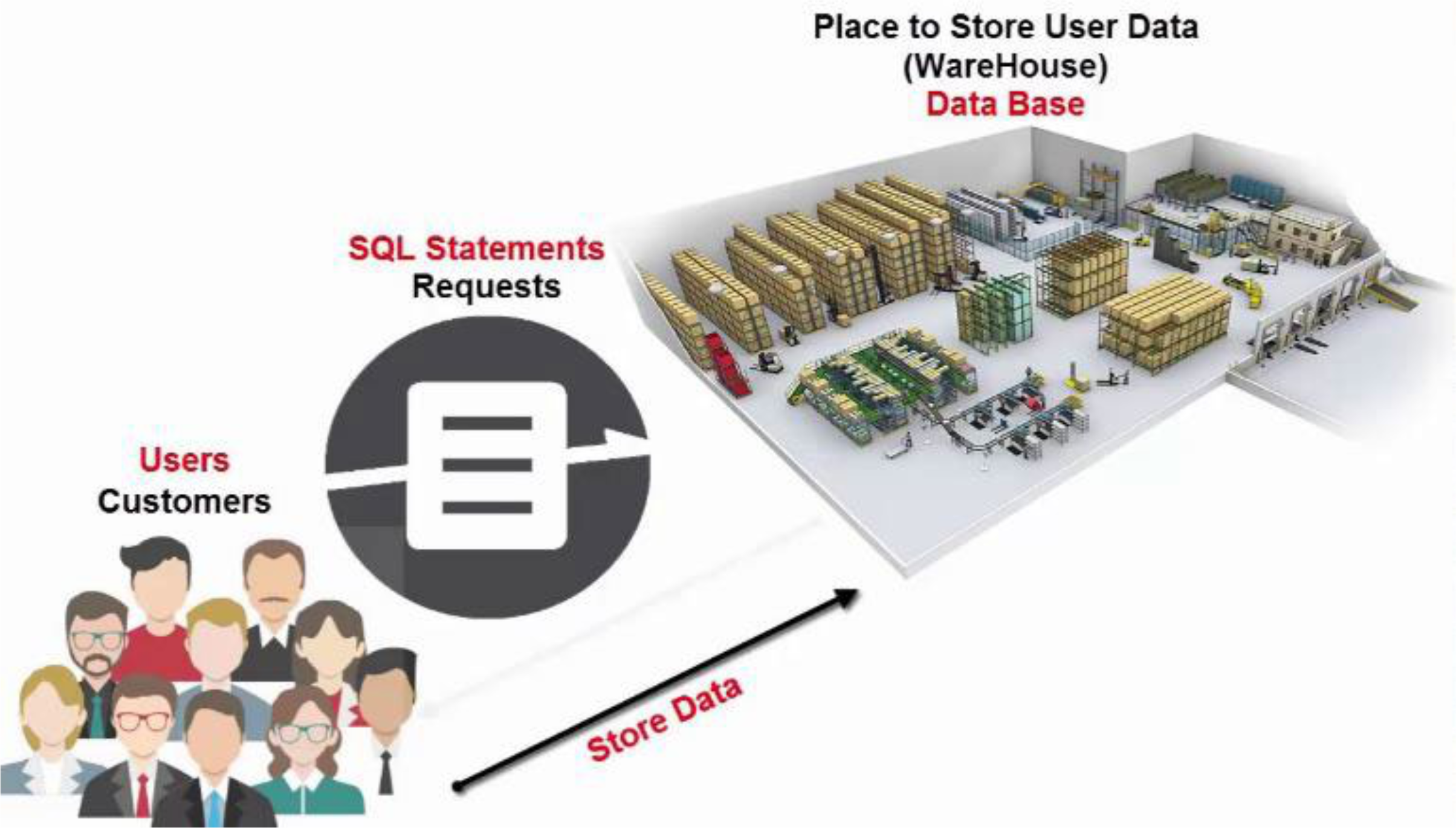
From End-User to Database Implementation
- Database Management System (DBMS) serves as the interface between users and the database
- Multiple users can access the same database through different applications
- Structure includes:
- User 1, User 2 (end users)
- Application 1, Application 2 (software interfaces)
- Database Repository (containing Table1, Table2, Table3, Table4)
Database System Environment & Capabilities
- Core Components:
- Software to Process Queries/Programs
- Software to Access Stored Data
- Stored Database Definition (Meta-Data)
- Stored Instance Data
- Key Capabilities:
- Support multiple views of the data
- Self-describing nature using Metadata (system catalog or data dictionary)
- Sharing data and multiuser transaction processing with concurrency control system
- Controlling redundancy
- Restricting unauthorized access
- Representing complex relationships among data
- Providing multiple user interfaces
- Providing backup and recovery system
- Enforcing integrity constraints
- DBMS & Database Interfaces:
- Menu-based interfaces
- Graphical interfaces
- Form-based interfaces
- Natural language interfaces
- Database Design interfaces
- Programmer interfaces
- DBA interfaces
Nature of Data Object
Data Object Components
- Data Schema:
- Skeleton or structure of data
- Properties or Characteristics of data
- Defined as Attribute of data
- Example: Student_Name, Student_ID, Gender
- Also called: Data Definition or METADATA
- Data Instance:
- Raw fact or Raw data
- Structural or Un-structural data
- Defined as Data Record
- Example: Mr.Somboon, 6288000, Male
- Also called: Data Instance or Data Record
Data Object Example
Person Table:
- Attributes (or Columns): Name, Born, Twitter
- Records (or Tuples):
- Alice, 4 August 1989, @Alice
- Bob, 1 June 1988, @Bob
Glossary: MetaData is data about data defined the database structure (or database schema).
Metadata: Key Component in DBMS Success
Self-Describing Nature
Metadata or Data Dictionary Management:
- DBMS stores definitions of data elements and relationships (metadata) in a data dictionary
- DBMS looks up required data component structures and relationships
- Changes automatically recorded in the dictionary
- DBMS provides data abstraction and removes structural and data dependency which provide Data-Program Independency Nature
Definition: Metadata is data about the structure of data, their relationships, their constraints, etc.
Example of Metadata (MS SQL Server):
- [Image showing metadata structure - text not extractable]
Database Management System (DBMS)
Definition:
- Collection of programs to:
- Manage the database structure (or schema)
- Store the actual data (or physical data) in the database repository
- Secure and control access to database system
DBMS Functions
Core Function Categories
1. Structure Management:
- Data Dictionary Management
- Data Transformation and Presentation
- Data Integrity Management
2. Storage Management:
- Data Storage Management
- Backup and Recovery Management
3. Security & Access Control:
- Security Management
- Multiuser Access Control
4. Communication:
- Database Access Languages
- Database Communication Interface
Detailed Function Descriptions
Data Dictionary Management:
- Manages metadata (data dictionary)
- Handles data transformation (e.g., date formats: 25/01/2023 ↔ 01/25/23)
- Enforces data integrity (e.g., IDs must be unique)
Data Storage Management:
- Performance tuning (space & speed)
- Manages physical data files
- Handles complex structures
Backup and Recovery Management:
- Creates backup copies of data
- Manages recovery processes
- Uses transaction logs
Security Management:
- Controls unauthorized access
- Implements concurrency control mechanisms
- Manages multiuser access
Communication Interface:
- SQL (Structured Query Language) - de facto query language
- ODBC (Open Database Connectivity) - standard API for accessing DBMS
Glossary: ODBC (Open Database Connectivity) is a standard application programming interface (API) for accessing DBMS representing the independent of OS and DBMS software.
Comprehensive DBMS Functions
Database Access Languages and Application Programming Interfaces:
- DBMS provides access through a query language
- Query language is a nonprocedural language
- Structured Query Language (SQL) is the de facto query language
- Standard supported by majority of DBMS vendors
Data Integrity Management:
- DBMS promotes and enforces integrity rules
- Minimizes redundancy
- Maximizes consistency
- Data relationships stored in data dictionary used to enforce data integrity
- Integrity is especially important in transaction-oriented database systems
Data Storage Management:
- DBMS creates and manages complex structures required for data storage
- Also stores related data entry forms, screen definitions, report definitions, etc.
- Performance tuning: activities that make the database perform more efficiently
- DBMS stores the database in multiple physical data files
Data Transformation and Presentation:
- DBMS transforms data entered to conform to required data structures
- DBMS transforms physically retrieved data to conform to user's logical expectations
- Example: date format in different countries
Security Management:
- DBMS creates a security system that enforces user security and data privacy
- Security rules determine which users can access the database, which items can be accessed, etc.
Backup and Recovery Management:
- DBMS provides backup and data recovery to ensure data safety and integrity
- Recovery management deals with recovery of database after a failure
- Critical to preserving database's integrity
Multiuser Access Control:
- DBMS uses sophisticated algorithms to ensure concurrent access does not affect integrity
- Transaction Management and Concurrency Control
Database Communication Interfaces:
- Current DBMSs accept end-user requests via multiple different network environments
- Communications accomplished in several ways:
- End users generate answers to queries by filling in screen forms through Web browser
- DBMS automatically publishes predefined reports on a Web site
- DBMS connects to third-party systems to distribute information via e-mail
System Catalog vs Data Dictionary
System Catalog:
- Store information about database schema and constraints
- Accessed by DBMS software
Data Dictionary:
- Store design decisions, usage standard, application program descriptions and users information
- Active data dictionary: can be accessed by both users and DBMS software
- Passive data dictionary: accessed by users & DBA but not the DBMS
Example 1: Data Dictionary for Company Relational Schema
| REL_NAME | ATTR_NAME | ATTR_TYPE | PK | FK | FK_RELATION |
|---|---|---|---|---|---|
| EMPLOYEE | FNAME | VSTR15 | no | no | |
| EMPLOYEE | MINT | CHAR | no | no | |
| EMPLOYEE | LNAME | VSTR15 | no | no | |
| EMPLOYEE | SSN | STR9 | yes | no | |
| EMPLOYEE | BDATE | STR9 | no | no | |
| EMPLOYEE | ADDRESS | VSTR30 | no | no | |
| EMPLOYEE | SEX | CHAR | no | no | |
| EMPLOYEE | SALARY | INTEGER | no | no | |
| EMPLOYEE | SUPERSSN | STR9 | no | yes | EMPLOYEE |
| EMPLOYEE | DNO | INTEGER | no | yes | DEPARTMENT |
| DEPARTMENT | DNAME | VSTR10 | no | no | |
| DEPARTMENT | DNUMBER | INTEGER | yes | no | |
| DEPARTMENT | MGRSSN | STR9 | no | yes | EMPLOYEE |
| DEPARTMENT | MGRSTARTDATE | STR10 | no | no | |
| DEPT_LOCATION | DNUMBER | INTEGER | yes | yes | DEPARTMENT |
| DEPT_LOCATION | DLOCATION | VSTR15 | yes | no |
Example 2: Data Dictionary for Employee Schema
[Image showing employee schema - text not extractable]
Language Module for Data Object
Two Main Language Categories
Data Definition Language (DDL):
- Define data schema
- Execute at "Schema Level"
- Example: Create data schema (Student_Name, Student_ID) for student table
Data Manipulation Language (DML) and Query Language (QL):
- Manipulate data instance
- Execute at "Instance Level"
- Example: Insert data record (Mr.Somboon Sae-tae, 6288000) into student table
Data Definition Language (DDL)
Purpose:
- A high-level language that is used to create and modify the structure of the database from the conceptual database which is defined by the "data model"
Key Points:
- DDL statements are compiled as a set of tables and stored in a special file called "data dictionary" in System Catalog Module
- Common DDL Commands:
- CREATE TABLE
- DROP TABLE
- ALTER TABLE
In a True Three-Schema Architecture:
- SDL = Storage Definition Language
- VDL = View Definition Language
- SQL is a language that combines DDL, VDL, DML & SDL
DDL Users:
- DBA (Database Administrator)
- DB Designer
- DB Programmer
Data Manipulation Language (DML)
Purpose:
- A high-level language that is used to access or manipulate data organized by the appropriate data model
Nonprocedural DMLs (High Level DML):
- Users need to specify only WHAT data
- It generates codes to perform the operations and produces the result
- It defines a set-at-a-time or set-oriented DMLs
- Operations include: retrieval, insertion, deletion, and modification
Example DML Operations:
U1: INSERT Statement
INSERT INTO EMPLOYEE
VALUES ('Richard', 'K', 'Marini',
'653298653', '30-dec-52',
'98 Oak Forest, Katy, TX',
'M', 37000,'987654321', 4)
U2: DELETE Statement
DELETE FROM EMPLOYEE
WHERE SSN= '123456789'
U3: UPDATE Statement
UPDATE EMPLOYEE
SET SALARY = SALARY *1.1
WHERE DNO IN
( SELECT DNUMBER
  FROM DEPARTMENT
  WHERE DNAME='Research')
Query Language (QL)
Definition:
- A high level DMLs with interactive manner calls Query Language
- A query language is a portion of DML for information retrieval
- When DMLs are embedded in a programming Language (Host Language) they are called "embedded SQL"
Query Language Example:
Query: Retrieve the name and address of all employees who work for the 'Research' department.
SELECT FNAME, LNAME, ADDRESS
FROM EMPLOYEE, DEPARTMENT
WHERE DNAME = 'Research' AND DNUMBER = DNO
Query Output as a SET of Data:
| FNAME | LNAME | ADDRESS |
|---|---|---|
| John | Smith | 731 Foudren, Houston, TX |
| Franklin | Wong | 638 Voss, Houston, TX |
| Ramesh | Narayan | 975 Fire Oak, Humble, TX |
| Joyce | English | 5631 Rice, Houston, TX |
Database Three-Schema Architecture
From End-User to Database Implementation
Three Schema Architecture Concept:
- Schema Mapping between three levels
- Three Schema levels (1, 2, 3)
- Progression from Human Understandable to Machine Processable
- External Schema at the top level
Detailed Three-Schema Architecture
Architecture Components:
External Level:
- External View A → External Schema A → External/conceptual mapping A
- External View B → External Schema B → External/conceptual mapping B
- Users: user A1, user A2, user B1, user B2, user B3
- Host Language + DSL for each user group
Conceptual Level:
- Conceptual View → Conceptual Schema
- Conceptual/internal mapping
- Managed by Database Administrator (DBA)
Internal Level:
- Storage structure definition (internal schema)
- Stored Database/Internal View
Key Definitions:
- The external schema is the view for users
- The conceptual schema is the view for conceptual database design
- The internal or physical schema is the view for physical database in data storage
Important Notes:
- Mappings are processes of transforming requests and results between levels
- Host Language is a programming language
- DSL (Data Sublanguage) or DDL, DML, QL
1. External View or External Schema
Characteristics:
- A highest level of abstraction describes a part of the entire database of the specific user's interest
- VDL (view definition language) is a facility for declaring views for the users
- VML (view manipulation language) is a facility for expressing queries and operations on the views
- Most DBMS has VDL & VML as a part of its SQL
Purpose: What are actually seen by the users
2. Conceptual Schema
Definition:
- A conceptual schema is a representation of informational needs underlying the design of a database
Characteristics:
- It describes the structure of the whole database
- Conceptual schema hides the details of physical storage structures and emphasizes on describing entities, data type, relationship & operations
Purpose: What data are actually conceptualized
3. Internal/Physical Schema
Components:
- Storage media: Cache, Main Memory, Disk, Tape
- Access methods: Direct access & Sequential access
Definition:
- Physical schema is a term used in data management to describe how data is to be represented and stored (files, indices, etc.) in secondary storage using a particular database management system (DBMS)
Purpose: How the data are stored
Terms Summary
Data and Information:
- Data are raw facts
- Information is the result of processing data to reveal its meaning
- Consistency with accurate, relevant, and timely information is the key to good decision making
Database Basics:
- Data are usually stored in a database
- DBMS implements a database and manages its contents
- Metadata is data about data
- Database design defines the database structure
Database Design Impact:
- Well-designed database facilitates data management and generates valuable information
- Poorly designed database leads to bad decision making and organizational failure
Database Evolution:
- Databases evolved from manual and computerized file systems
- In file system, data stored in independent files
- Each requires its own management program
File System Limitations:
- Requires extensive programming
- System administration is complex and difficult
- Changing existing structures is difficult
- Security features are likely inadequate
- Independent files tend to contain redundant data
- Structural and data dependency problems
DBMS Advantages:
- DBMS is developed to address file system's inherent weaknesses
- DBMS present database to end user as single repository
- Promotes data sharing
- Eliminates islands of information
- DBMS enforces data integrity, eliminates redundancy, and promotes security