Course: CSS454: Computer and Communication Security
Semester: 2/2025
Instructor: Assoc.Prof. Dr. Somchart Fugkeaw
Email: somchart@siit.tu.ac.th
Instructor Profile
Assoc.Prof. Dr. Somchart Fugkeaw (Aj. Ohm)
Education
- B.A. Information Systems, Thammasat University
- M.Sc. Computer Science, Mahidol University
- Ph.D. Electrical Engineering and Information System, The University of Tokyo, Japan
Experience
- 15+ Years in IT Security Industry
Areas of Expertise
- Cyber Security (Data, System, DB)
- Cloud Computing
- Big Data
- Blockchain
Course Overview
Course Objectives
Understanding of basic issues, concepts, principles and mechanisms in computer and network security
Textbook
William Stallings and Lawrie Brown
Computer Security: Principles and Practice
Fifth Edition, Pearson, 2024
Topics Covered
- Basic concepts of security
- Elementary Cryptography
- Applications of Cryptography
- Software Security
- Protection in OS
- Network Security
- Database Security
- Cloud Security
- Information Security Management
Career Opportunities in Security
Top Technology Jobs (U.S. News 2025)
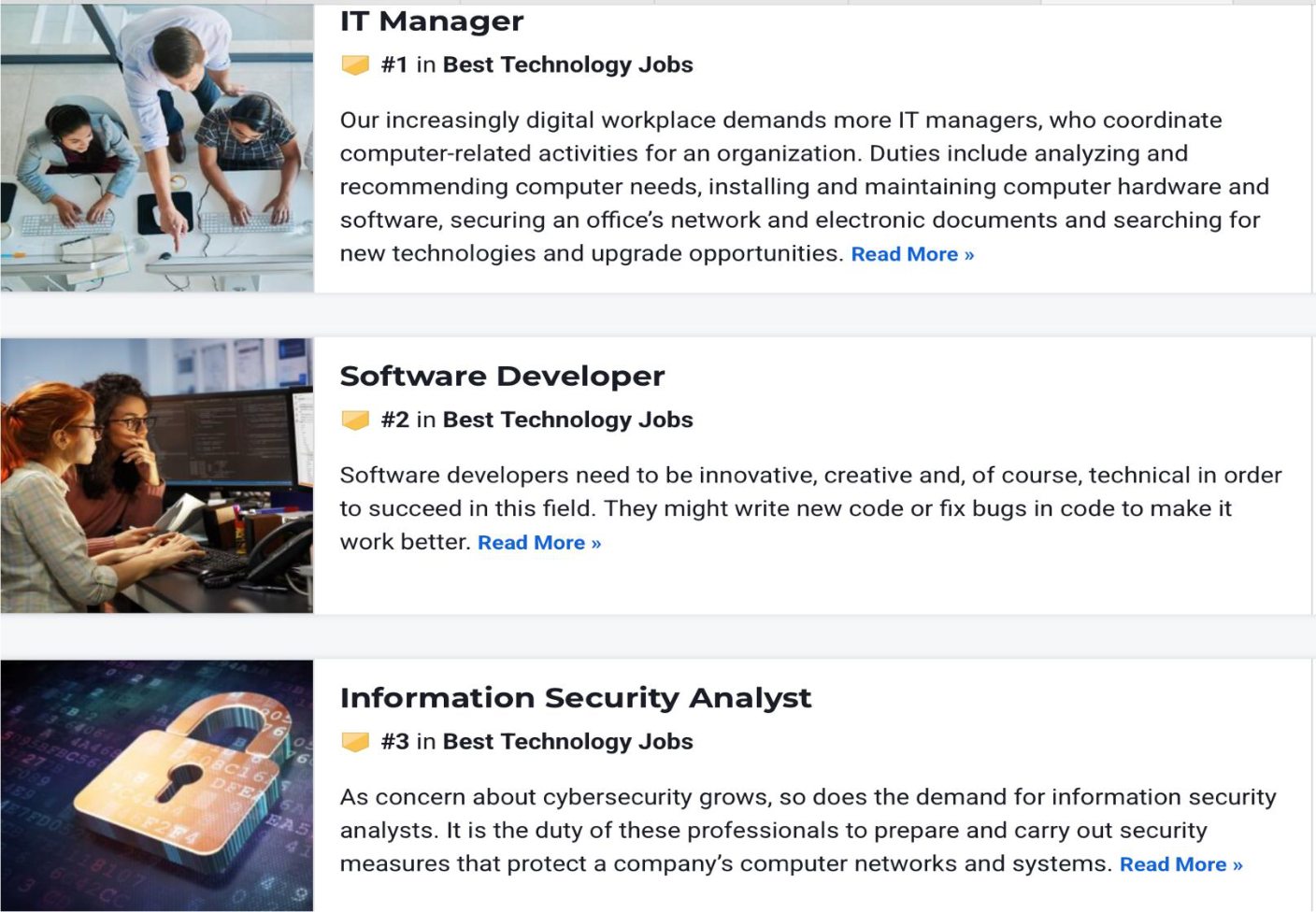
- IT Manager - #1 in Best Technology Jobs
- Coordinate computer-related activities for an organization
- Duties include: analyzing and recommending computer needs, installing and maintaining computer hardware and software, securing an office's network and electronic documents, searching for new technologies and upgrade opportunities
- Software Developer - #2 in Best Technology Jobs
- Need to be innovative, creative, and technical
- Write new code or fix bugs in code to make it work better
- Information Security Analyst - #3 in Best Technology Jobs
- Growing demand as concern about cybersecurity grows
- Duty: prepare and carry out security measures that protect a company's computer networks and systems
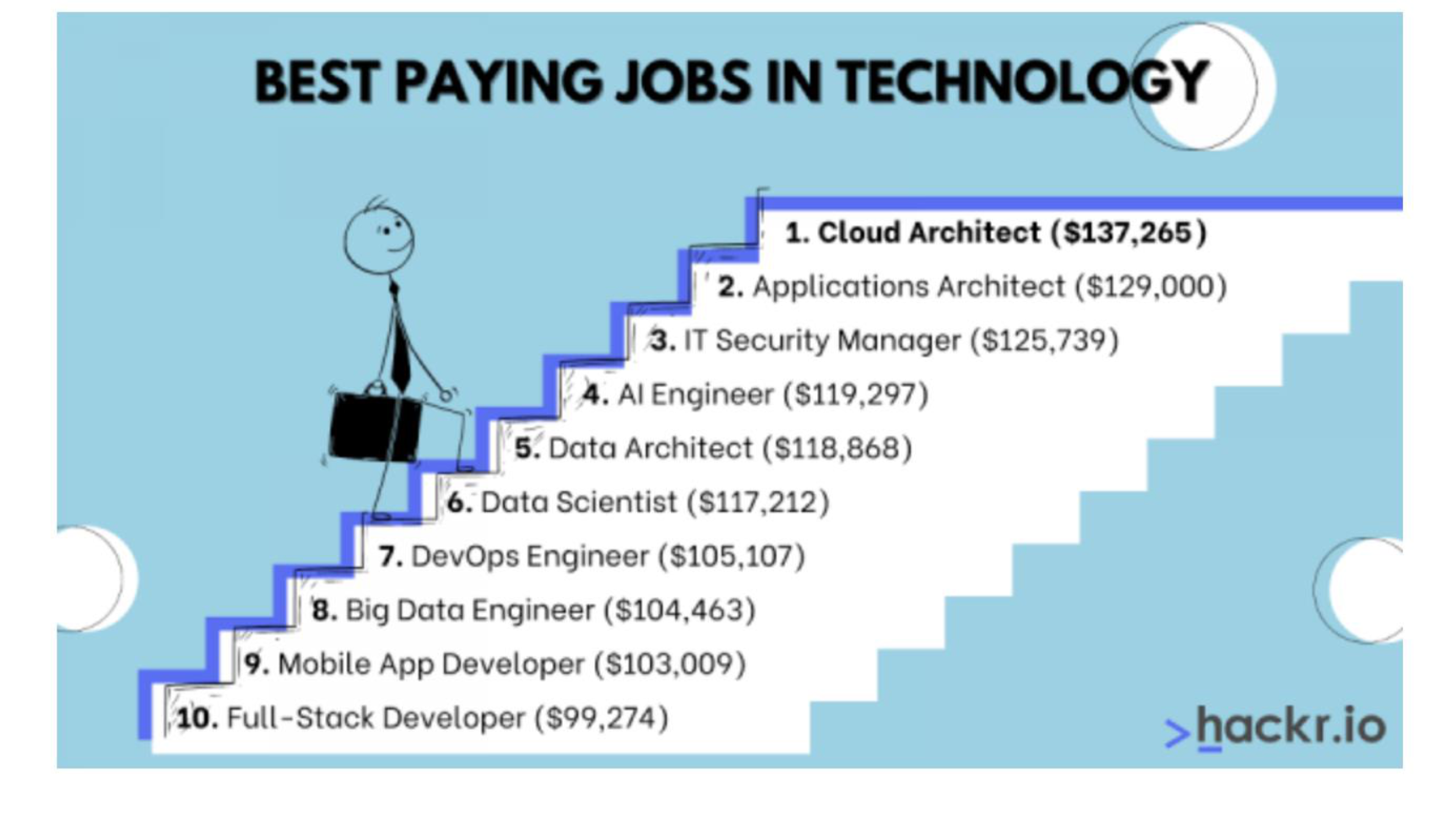
Best Paying Jobs in Technology
- Cloud Architect - $137,265
- Applications Architect - $129,000
- IT Security Manager - $125,739
- AI Engineer - $119,297
- Data Architect - $118,868
- Data Scientist - $117,212
- DevOps Engineer - $105,107
- Big Data Engineer - $104,463
- Mobile App Developer - $103,009
- Full-Stack Developer - $99,274
Source: https://www.careercliff.com/highest-paying-jobs/
Cybersecurity Trends
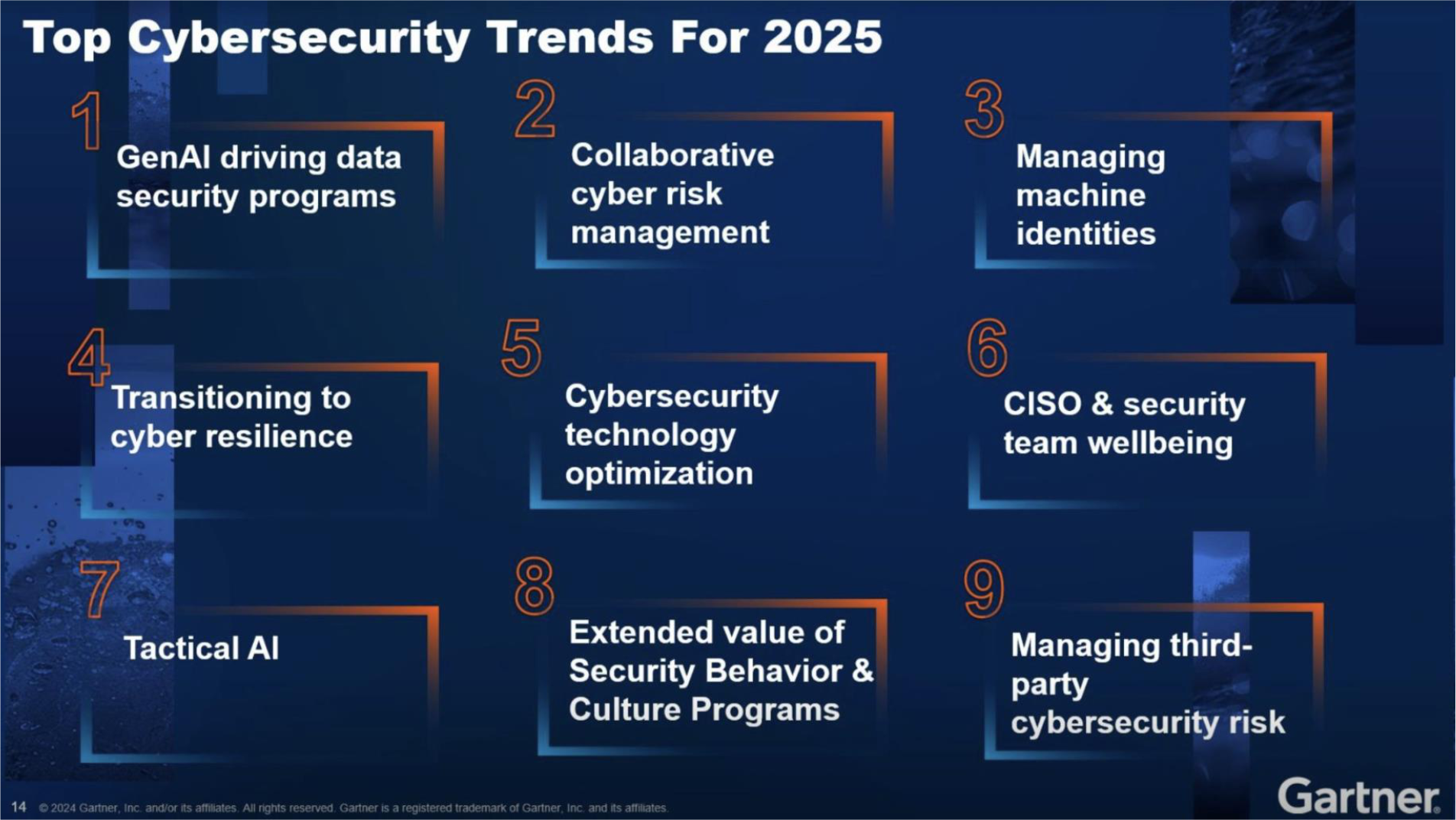
Top Cybersecurity Trends for 2025 (Gartner)
- GenAI driving data security programs
- Collaborative cyber risk management
- Managing machine identities
- Transitioning to cyber resilience
- Cybersecurity technology optimization
- CISO & security team wellbeing
- Tactical AI
- Extended value of Security Behavior & Culture Programs
- Managing third-party cybersecurity risk
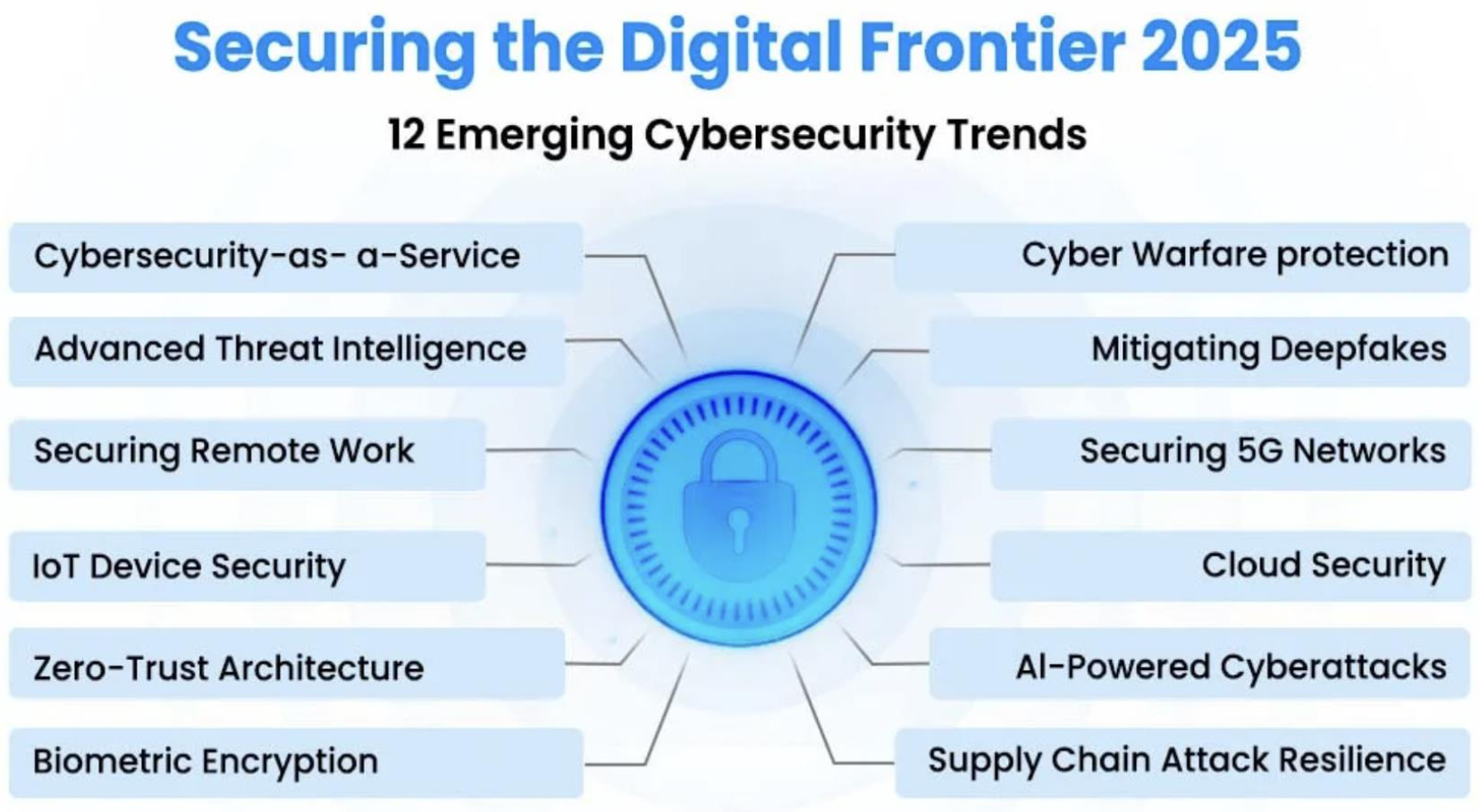
Securing the Digital Frontier 2025
12 Emerging Cybersecurity Trends:
- Cybersecurity-as-a-Service
- Advanced Threat Intelligence
- Securing Remote Work
- IoT Device Security
- Zero-Trust Architecture
- Biometric Encryption
- Cyber Warfare protection
- Mitigating Deepfakes
- Securing 5G Networks
- Cloud Security
- AI-Powered Cyberattacks
- Supply Chain Attack Resilience
Source: https://www.splashtop.com/blog/cybersecurity-trends-2025
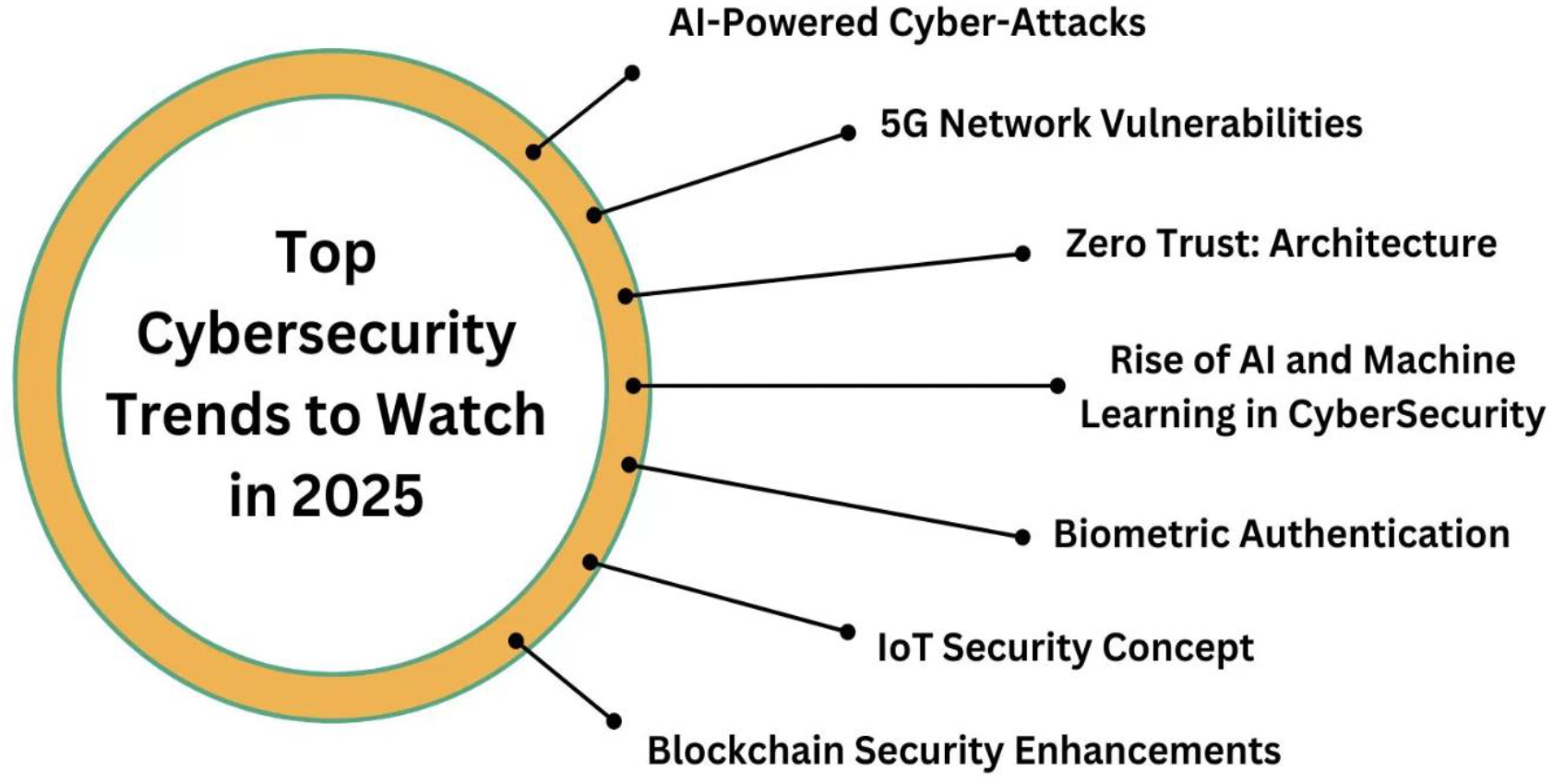
Additional Trends to Watch in 2025
- AI-Powered Cyber-Attacks
- 5G Network Vulnerabilities
- Zero Trust: Architecture
- Rise of AI and Machine Learning in CyberSecurity
- Biometric Authentication
- IoT Security Concept
- Blockchain Security Enhancements
Source: https://www.techprofree.com/top-cybersecurity-trends-to-watch-in-2025/
Reflection Questions
Think about this!
- Are you ready to work hard, think critically, and never stop learning?
- Are you willing to fail and try again—many times?
- Are you curious about how attacks really work, not just how systems are built?
- Are you ready to defend systems, data, and people in a hostile digital world?
- Are you prepared to act with ethics, responsibility, and professionalism?
- Are you ready to embrace yourself as a Cyber Defender?
Critical Infrastructure
Critical infrastructure refers to processes, systems, facilities, technologies, networks, assets and services essential to the health, safety, security or economic well-being of people and the effective functioning of a government.

Critical Infrastructure Sectors
- Agriculture and Food
- Banking and Finance
- Chemical
- Commercial Facilities
- Communications
- Critical Manufacturing
- Dams
- Defense Industrial Base
- Emergency Services
- Energy
- Government Facilities
- Healthcare and Public Health
- Information Technology
- National Monuments and Icons
- Nuclear Reactors, Materials and Waste
- Postal and Shipping
- Transportation Systems
- Water
Modern Cyber Systems
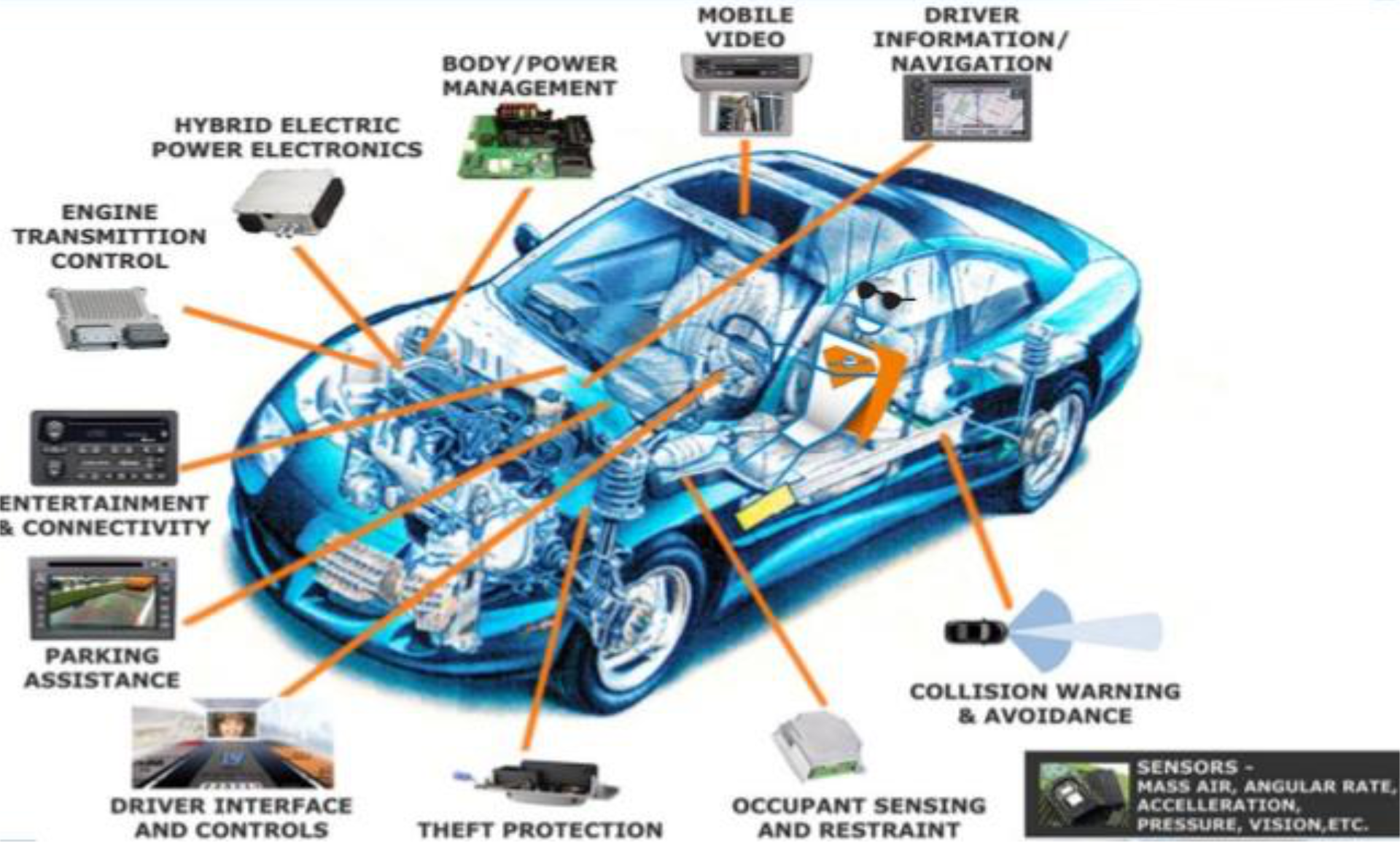
The Cyber Car
Modern vehicles contain numerous interconnected computer systems:
- Engine Transmission Control
- Hybrid Electric Power Electronics
- Body/Power Management
- Mobile Video
- Driver Information/Navigation
- Entertainment & Connectivity
- Parking Assistance
- Driver Interface and Controls
- Theft Protection
- Occupant Sensing and Restraint
- Collision Warning & Avoidance
- Sensors (Mass Air, Angular Rate, Acceleration, Pressure, Vision, etc.)
Intuition:
Modern cars are essentially computers on wheels with dozens of ECUs (Electronic Control Units) communicating via CAN bus networks. Each system is a potential attack surface.
Definition of Security
- A state of well-being of information and infrastructures in which the possibility of successful yet undetected theft, tampering, and disruption of information and services is kept low (zero) or tolerable
- The protection of the valuable items called assets (hardware, software, data, people, process)
Security in Daily Life vs Net Life
Security in Daily Life
No one should be able to:
- Break into my house
- Attack me
- Steal my TV
- Use my house to throw water balloons on people
- Damage my furniture
- Pretend to be my friend Bob and fool me
- Waste my time with irrelevant things
- Prevent me from going to my favourite restaurant
- Destroy my road, bridge, city, country
Security in Net Life
No one should be able to:
- Break into my computer
- Attack my computer
- Steal my information
- Use my computer to attack others
- Damage my computer or data
- Use my resources without my permission
- Mess with my physical world
I want to talk to Alice:
- Someone/something pretends to be Alice or myself
- Someone/something prevents me from communicating with Alice
Authentication
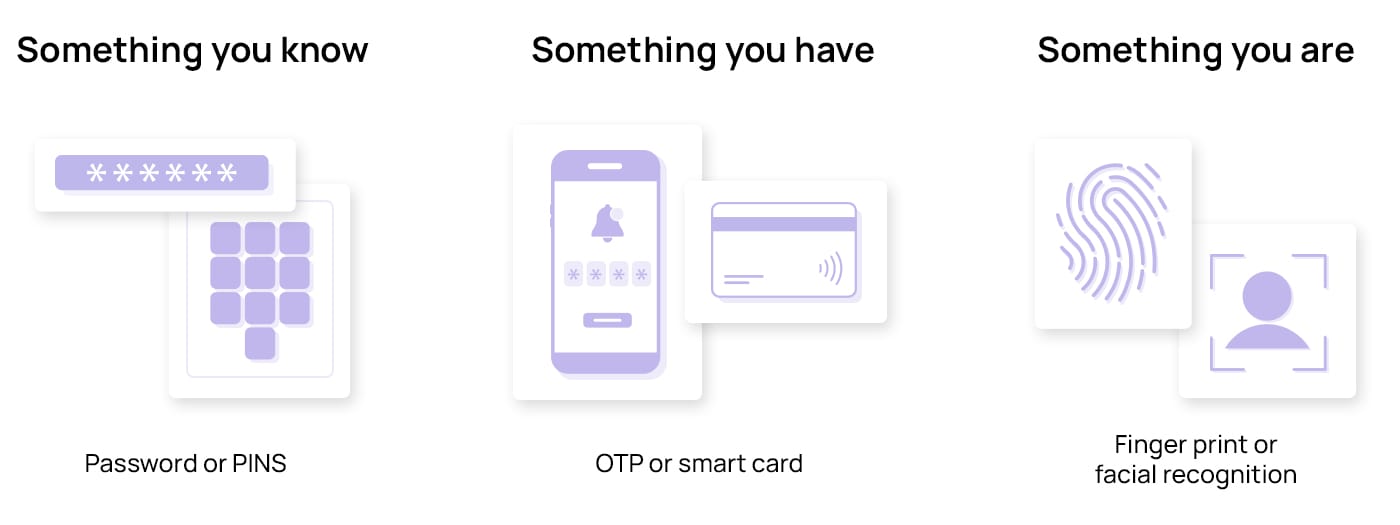
- Authentication Factor
- Something you know e.g. user/password, PIN
- Something you have e.g. mobile phone, tokens
- Something you are e.g. biometric data.
- Strong Authentication - we need to use at least two factor. (2FA+)
- OTP → Something you have (mobile phone) + Something you know (code)
- Biometric มันแค่อันเดียวไง อาจารย์เลยสรุปว่า OTP มัน Stronger!
A "Secure" System
We will never own a Perfectly Secure System!
To decide whether a system is "secure", we must first:
- Decide what "secure" means to us
- Identify the threats we care about
Sample Threats
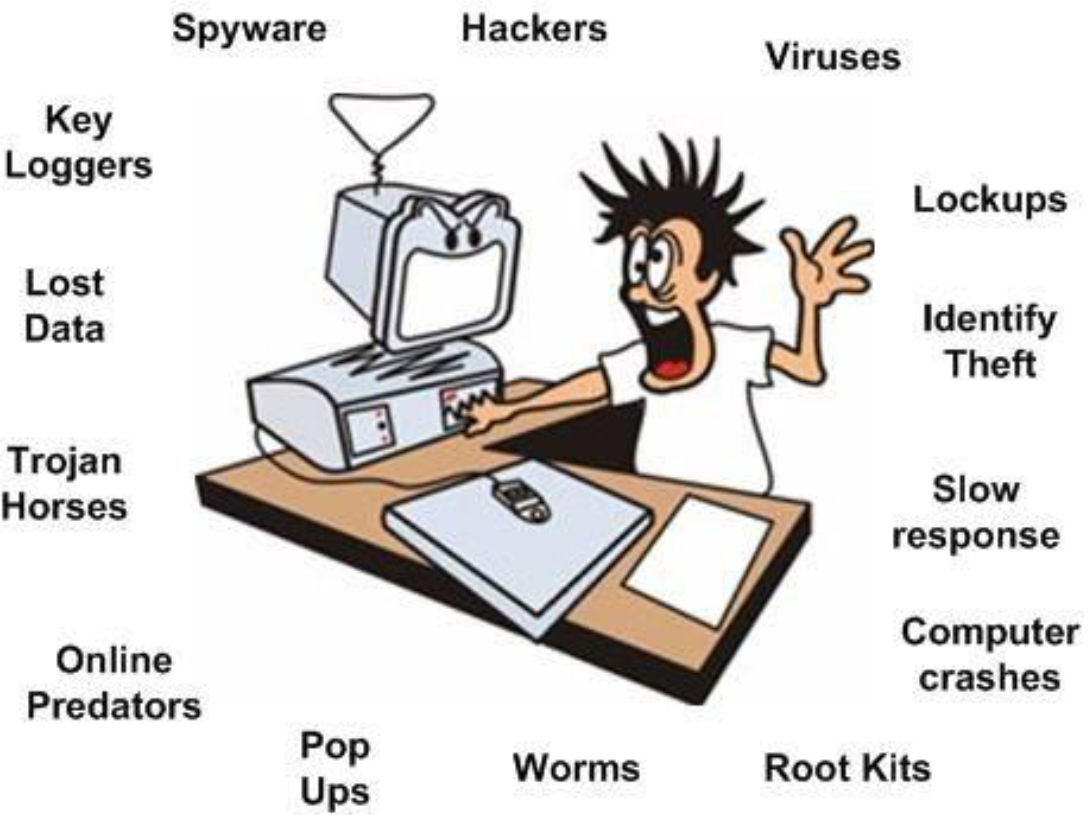
Threats are Everywhere
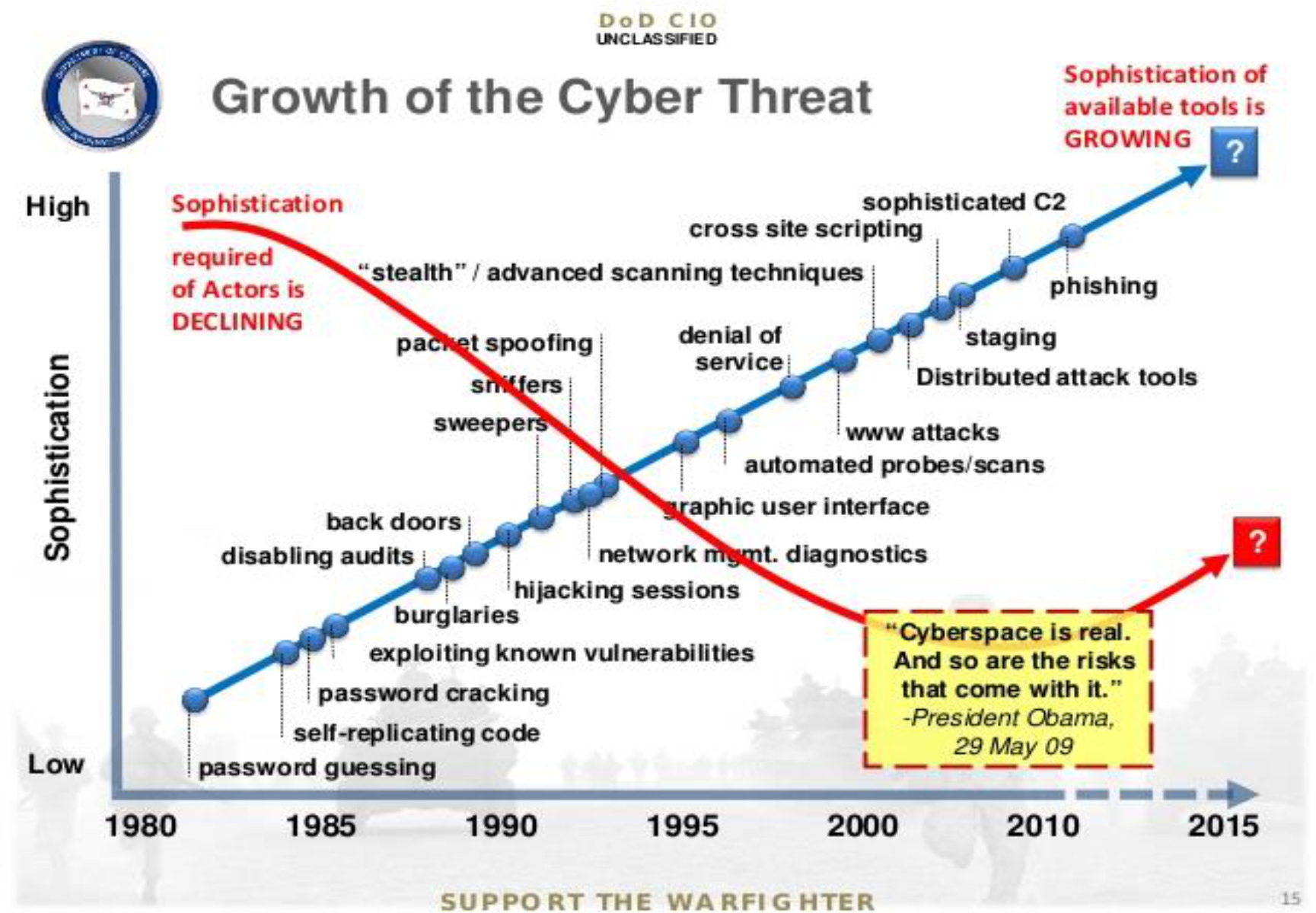
Growth of the Cyber Threat (DoD CIO - UNCLASSIFIED)
The sophistication required of actors is DECLINING, while the sophistication of available tools is GROWING.
Historical progression (1980-2015):
- Low sophistication: password guessing, self-replicating code
- Medium: password cracking, exploiting known vulnerabilities, burglaries, hijacking sessions, network mgmt. diagnostics, back doors, disabling audits, sniffers, sweepers, packet spoofing, denial of service
- High: "stealth"/advanced scanning techniques, automated probes/scans, www attacks, graphic user interface, cross site scripting, sophisticated C2, phishing, staging, Distributed attack tools
Quote: "Cyberspace is real. And so are the risks that come with it." - President Obama, 29 May 09
Basic Security Terminology
- Resources or Assets: Hardware, Software, Data
- Vulnerability: weakness or security holes
- Example: An easy-to-guess password, open unused ports
- Exposure: form of potential loss or harm
- Example: Unauthorized disclosure of credit card numbers
- Threats: circumstances that may cause loss/harm
- Example: Natural disaster, internal software flaws, network attacks
- Risk: the likelihood (probability) of being targeted by a given attack, of an attack being successful, and general exposure to a given threat
- Example:
- Impact = Consequences
- 5 — Fatal, Critical
- 4 — High
- 3 — Medium
- 2 — Low
- 1 — Insignificant
- If the risk between 4 and 5, WE MAY NEED immediate response.
- 3 → contain the problem within 2 hours.
- Attack: any action that compromises security by exploiting a vulnerability
- Control (a protective measure):
- An action, device, procedure or technique that removes or reduces a vulnerability
- The means and ways to block a threat that tries to exploit one or more vulnerabilities
Assets and Values
ทำไมข้าม!?
The goal is protecting valuable assets
Asset Categories
Hardware:
- Computer
- Devices (disk drives, memory, printer)
- Network gear
Software:
- Operating system
- Utilities (antivirus)
- Commercial applications (word processing, photo editing)
Data:
- Documents
- Photos
- Music, videos
- Class projects
Classification:
- Off the shelf: easily replaceable
- Individual applications: Unique; irreplaceable
Intuition:
Assets have different values. A stolen laptop (hardware) might cost $1000 to replace, but the customer database on it (data) could be worth millions and irreplaceable.
Threat, Control and Vulnerability
A threat is blocked by control of a vulnerability
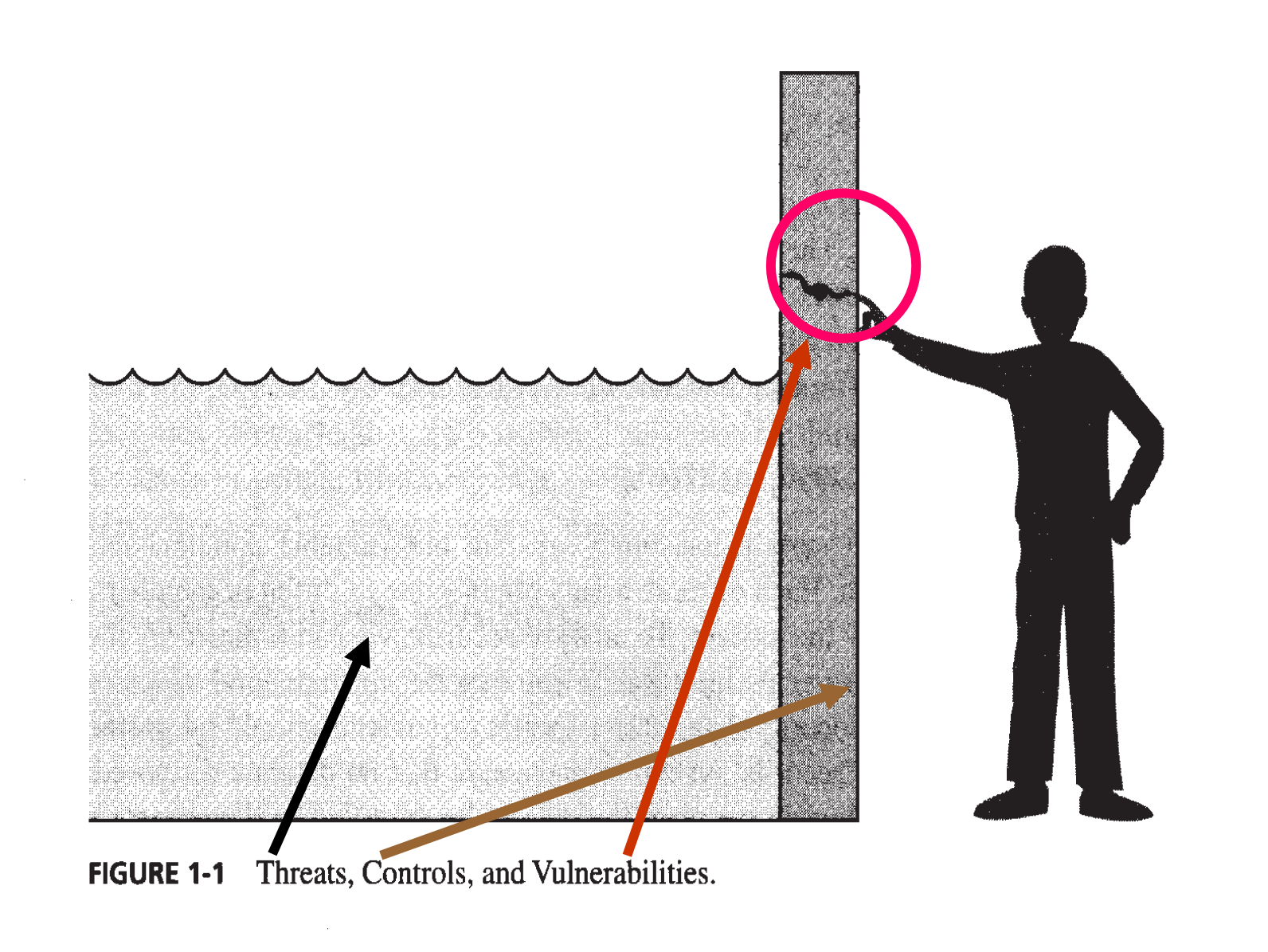
Diagram showing a wall with water (threat) on one side. An arrow labeled "Threat" points to a vulnerability (hole) in the wall. A "Control" (patch/plug) blocks this vulnerability from being exploited.
Water = threats
Crack = vulnerability
Analogy:
Think of security like a dam (control) protecting against flooding (threat) through a crack (vulnerability) in the wall. The control blocks the threat from exploiting the vulnerability.
Vulnerabilities
A weakness in the system
3 Categories of Vulnerabilities
The system resources can:
- Be corrupted (loss of integrity - not completed)
- Complete + Accurate + No Tamper
- Become leaky (loss of confidentiality)
- Become unavailable (loss of availability)
- ก็พวก DDoS ไง
- Prevent ยังไงล่ะ: Block IP, IDS
Threats and Attacks
A threat is a potential violation of security
- Flaws in design, implementation, and operation
An attack:
- Any action that violates security
- Any action that compromises the security
- Active adversary
Attack may be:
- Successful: resulting in a breach of security, a system penetration
- Unsuccessful: when controls block a threat trying to exploit a vulnerability
Threats to Assets
Hardware Threats
- Natural disaster
- Direct attack by human
- Theft
- Solutions: locks and guards, Backup site
Software Threats
- Deletion: Use configuration management: install vs. uninstall
- Modification: Trojan horse, Virus, Trapdoor (secret entry), Information leaks: accessible via unauthorized persons
- Theft or Piracy: Unauthorized copying of software (via P2P)
Data Threats
- Data Confidentiality: Wiretapping, Bribing employees
- Data Integrity: malicious programs
Security Goals - CIA
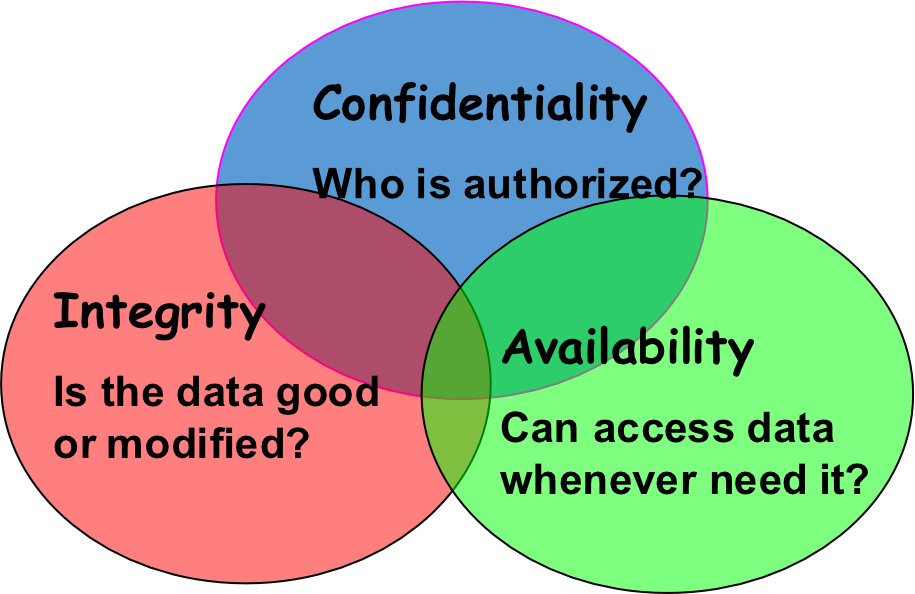
- Confidentiality (Secrecy or Privacy)
- An asset is viewed only by authorized parties
- Preventing unauthorized disclosure
- Who is authorized?
- Integrity
- An asset is modified only by authorized parties
- Preventing unauthorized modification
- Is the data good or modified?
- Hashing, Digital Signature
- Availability
- An asset can be used only by authorized parties
- Preventing denial of authorized access
- Can access data whenever need it?
- Use Load Balancer, Backup,
Confidentiality
"Need to know" basis for data access
- How do we know who needs what data?
- Approach: access control specifies who can access what
Access Control (3As)
- Authentication (Identification + Verification) → Verify the identification
- Authorization → Grant the privilege or permission (read, write, execute, delete)
- Accountability (Auditing) → log
- We can trace back or something.
How do we know a user is the person he claims to be?
- Need his identity and need a gatekeeper to verify this identity
- Approach: identification and authentication
"Need to access/use" basis for physical assets
- Access to a computer room
- Use of a desktop
Asset ≡ Resource
- Difficult to ensure and easiest to assess (answer = Yes / No)
If you have good access control, then CIA would be achieved in highly manner!
Is it true that if we preserve very high confidentiality, we have contain integrity as well?
- You can have confidentiality without integrity: A secret document could be accessed only by authorized users (confidentiality is intact), but an authorized user might alter the document without an audit trail, meaning the data itself is no longer accurate or trustworthy (integrity is compromised).
- You can have integrity without confidentiality: A document could have strong integrity controls, such as a digital signature verifying it hasn't been changed, but it might be publicly accessible to anyone, meaning it is not confidential.
Encrypt(File A) = Ciphertext (CT) → send to → Recipient
File A = Confidentiality
โจรอาจจะ add บางอย่างเพิ่มจาก CT เนี่ยแหละ 10101010111011100001101 แม้ว่าจะ decrypt ไม่ได้ก็ตาม ในส่วนของ Integrity ก็พังละมะ
Integrity
- Concerned with unauthorized modification of assets
- Confidentiality - concerned with access to assets
Integrity is more difficult to measure than confidentiality
- Not binary – A degree of integrity
Context-dependent
- Means different things in different contexts
- Could be any of asset properties: precision, accuracy, currency, consistency, meaningfulness, usefulness
Availability
An asset (resource) is available if:
- Respond to a request timely
- Fair allocation of resources (no starvation!)
- Fault tolerant (no total breakdown)
- Not easy to be broken by any incidents
- Easy to use in an intended way
- Provides controlled concurrency (concurrency control, deadlock control, ...)
Availability and Related Aspects
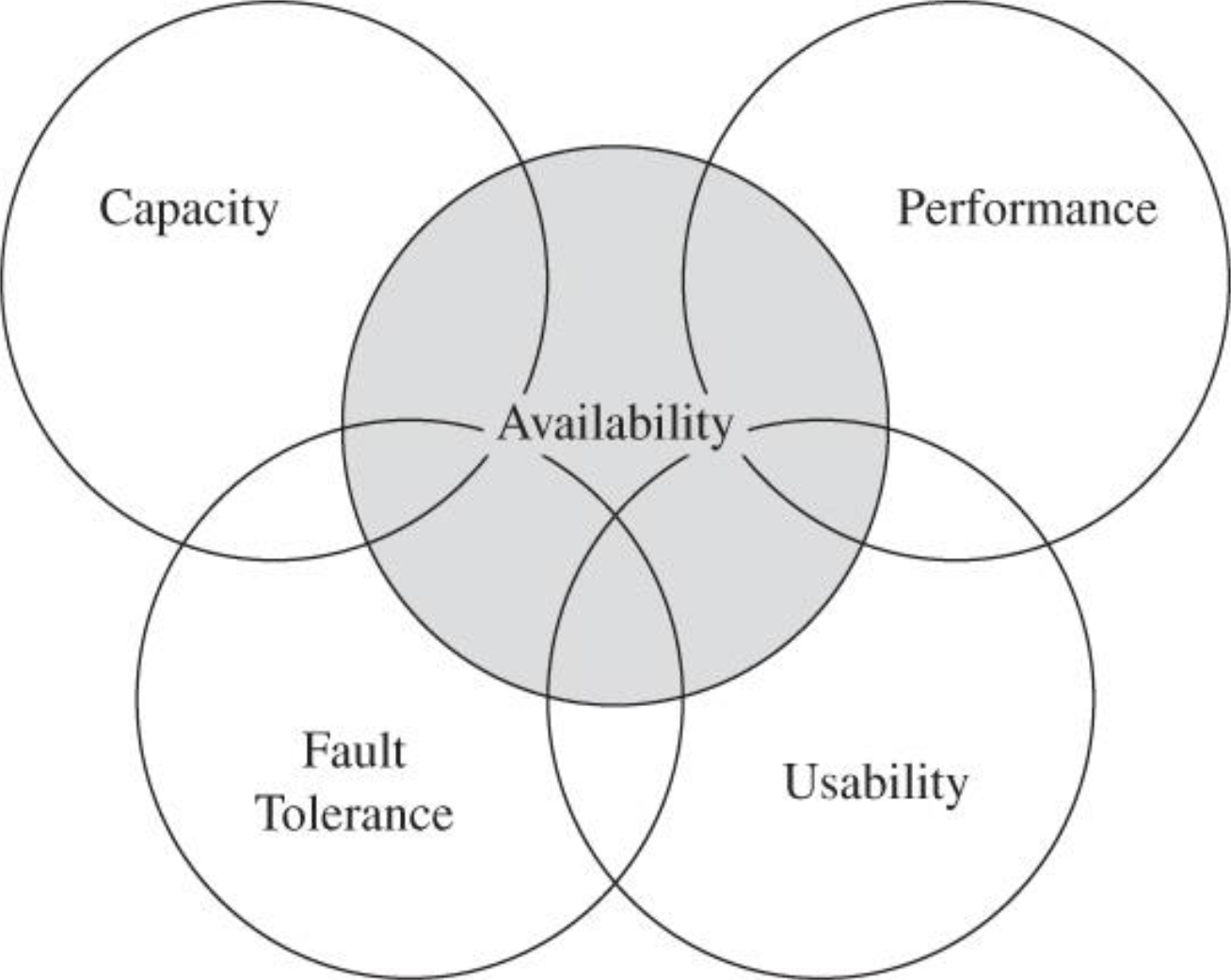
Deadlock vs Starvation
Contents
Security Goals - CIA (Extended)
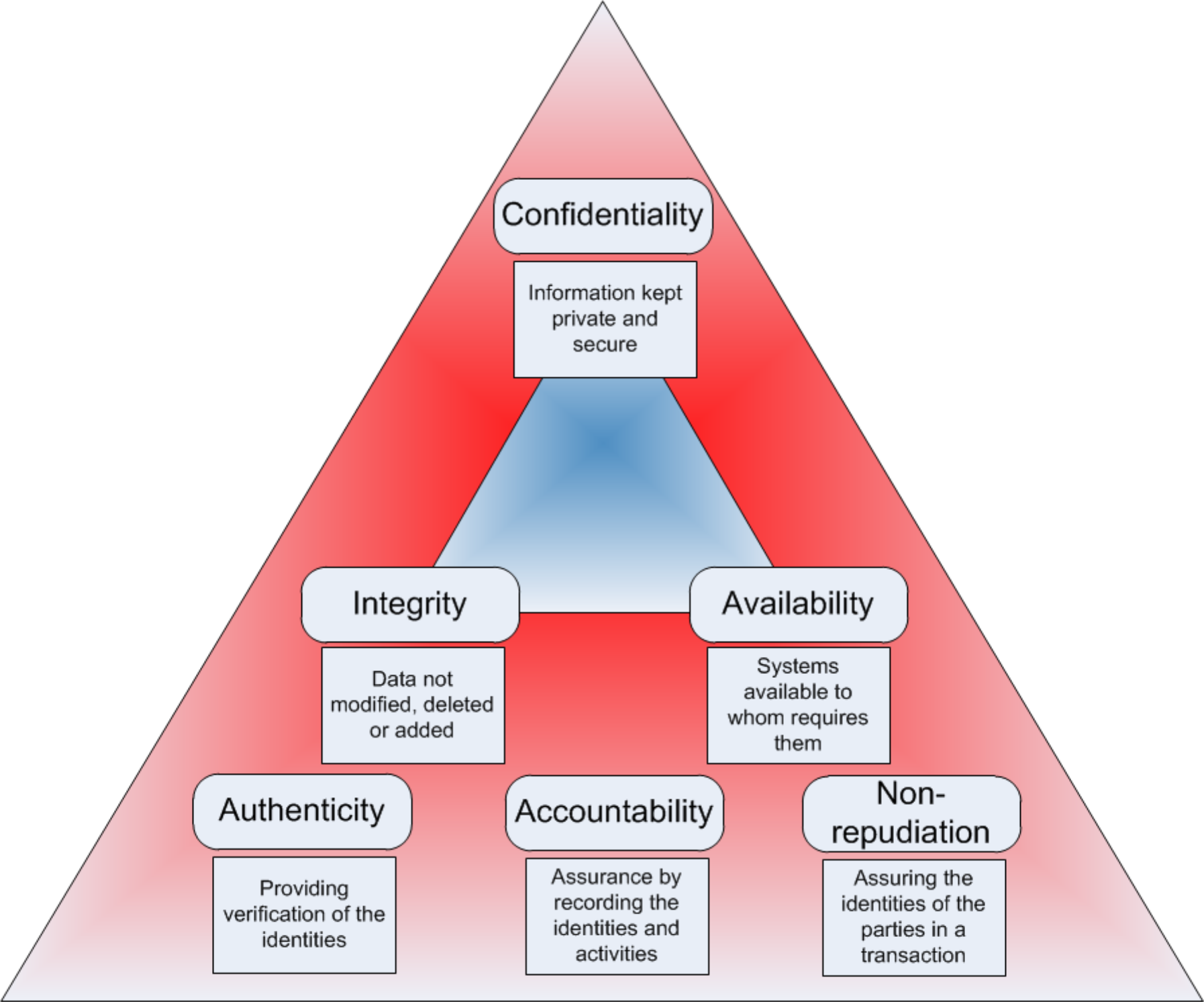
Top Level:
- Confidentiality: Information kept private and secure
Middle Level:
- Integrity: Data not modified, deleted or added
- Availability: Systems available to whom requires them
Base Level:
- Authenticity: Providing verification of the identities
- Accountability: Assurance by recording the identities and activities
- Non-repudiation: Assuring the identities of the parties in a transaction
- ไปหามามันคืออะไร อธิบายเยอะว่ะ
- Authentication + Digital Signature
Security Services
- Confidentiality (privacy) is the concealment of information or resources from unauthorized access
- Authenticity is the identification and assurance of the origin of information (who created or sent the data)
- Integrity refers to the trustworthiness of data or resources in terms of preventing improper and unauthorized changes
- Availability refers to the ability to use the information or resource as desired
- Non-repudiation cannot deny any sent or received
- Access control prevent misuse of resources
- Accountability - the ability to trace a security breach. Systems must keep records of their activities to later forensic analysis
ต้องเข้าใจ Terms ทัง้งหมด เอาให้แม่น ๆ เด้อ
Access Control (Security Policy)
Policy: Who + What + How = Yes/No
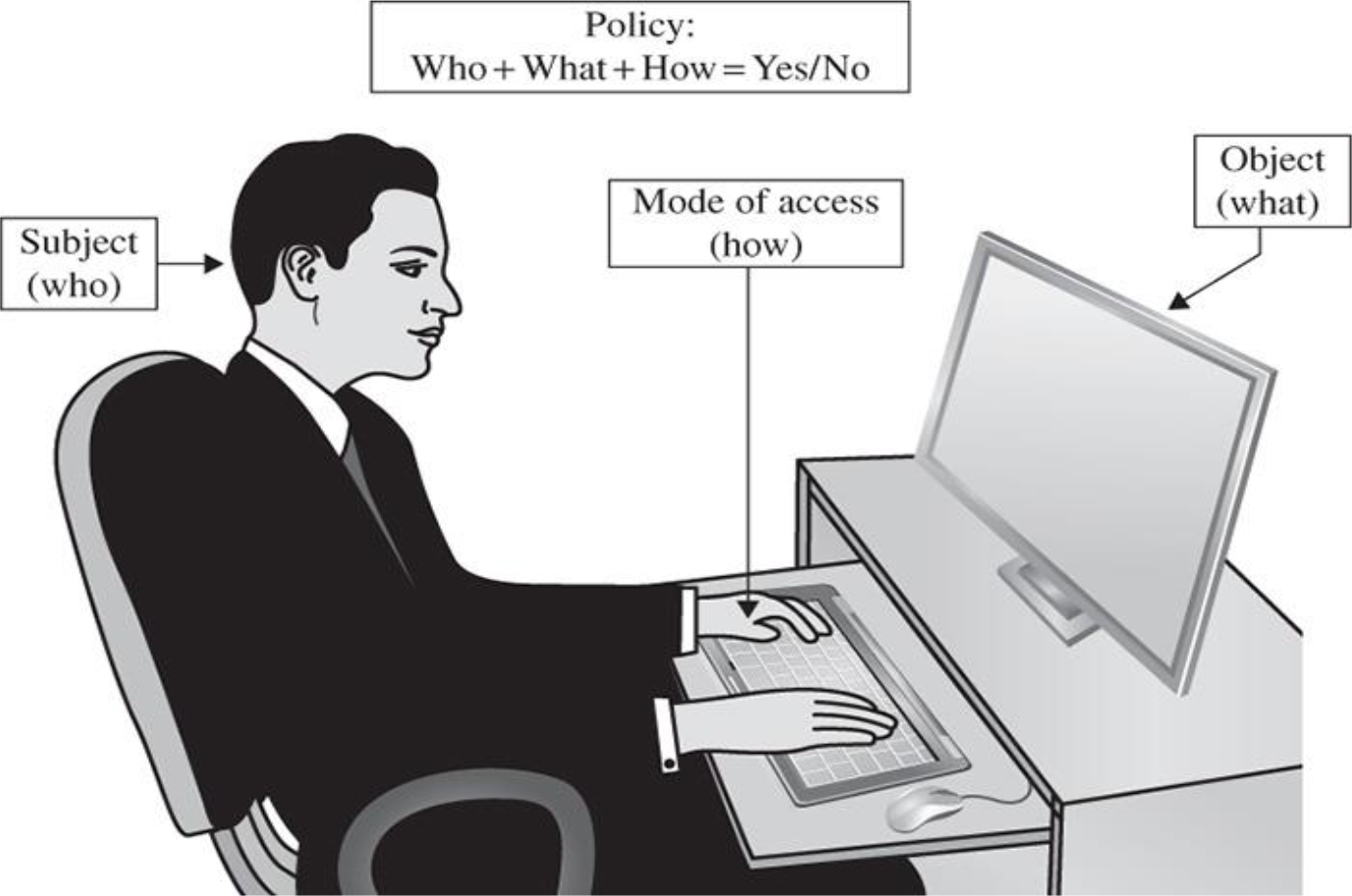
- Subject (who): User/person requesting access
- Mode of access (how): The type of operation
- Object (what): The resource being accessed
Intuition:
Every access decision can be broken down into: WHO (subject) wants to do WHAT (action) on WHICH resource (object), and the security policy determines YES or NO.
Security Attacks
Diagrams showing different attack types on information flow from source to destination:
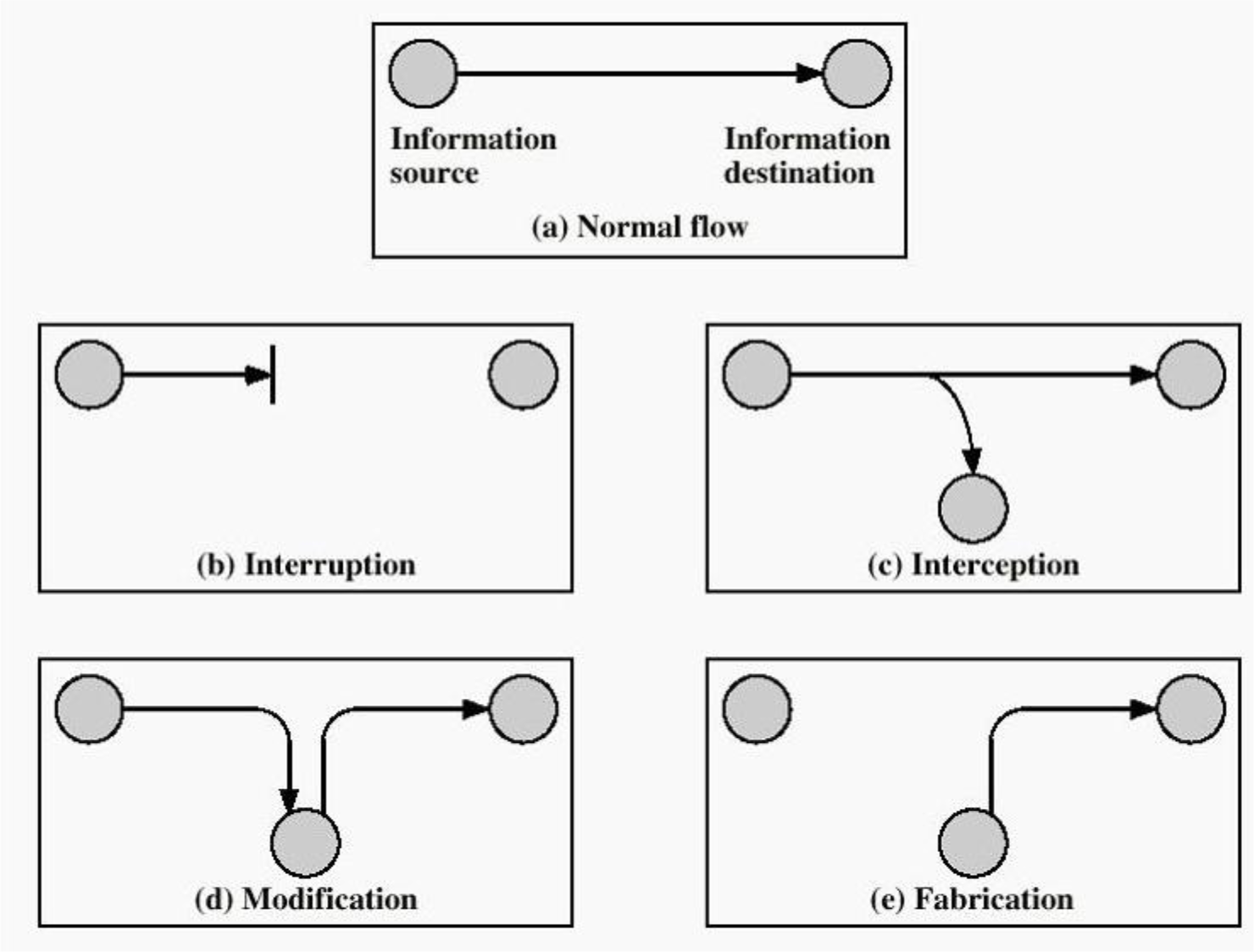
- (a) Normal flow: Information source → Information destination
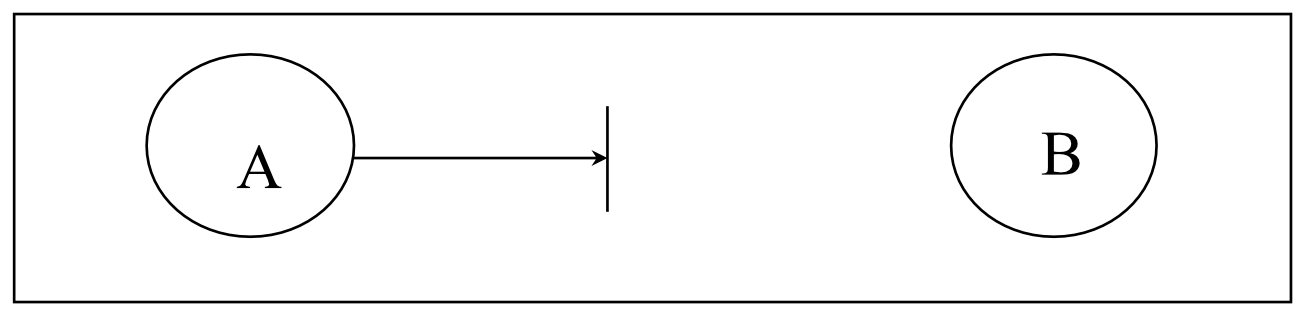
- (b) Interruption: Flow is blocked (Availability attack)
- Violate A
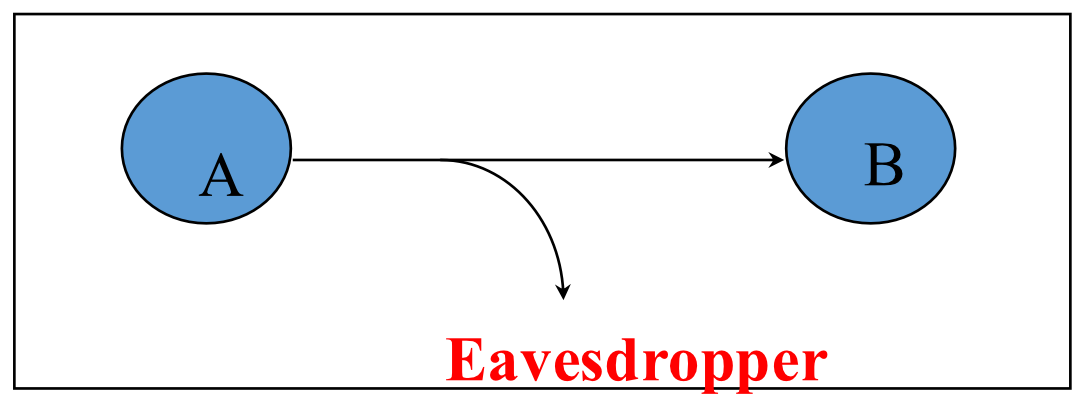
- (c) Interception: Third party intercepts (Confidentiality attack)
- ดักฟัง
- ลองฝึกใช้ Wireshark ดู
- Violate C
- (d) Modification: Content is altered in transit (Integrity attack)
- Violate I, maybe C too!
- (e) Fabrication: False data is injected (Authenticity attack)
- Not obviously A, C, I, but it breaches authenticity
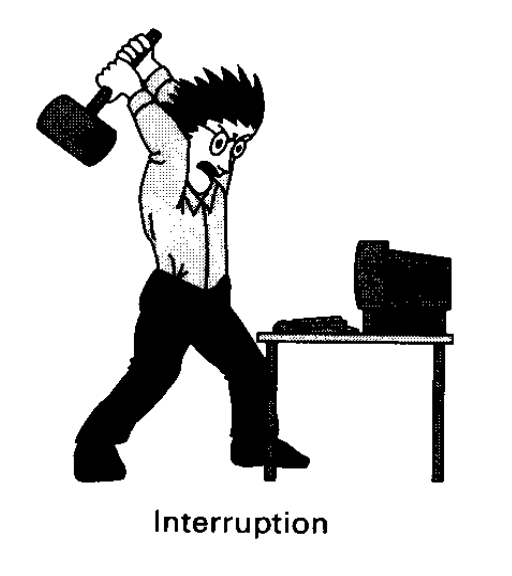
Interruption: Attack on Availability
A resource becomes lost, unavailable or unusable
- Destroy hardware (cutting fiber) or delete software
- Modify software in a subtle way (alias commands)
- Corrupt packets in transit
- Denial of service (DoS): Overwhelm the server by using up its resources
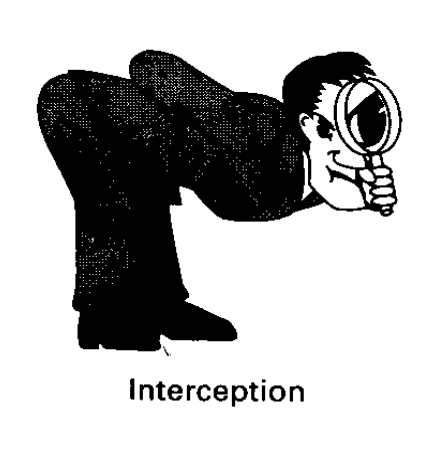
Interception: Attack on Confidentiality
- Eavesdropping
- Unauthorized access to resource or information
- Packet sniffers and wire-tapping
- Illicit copying of files and programs
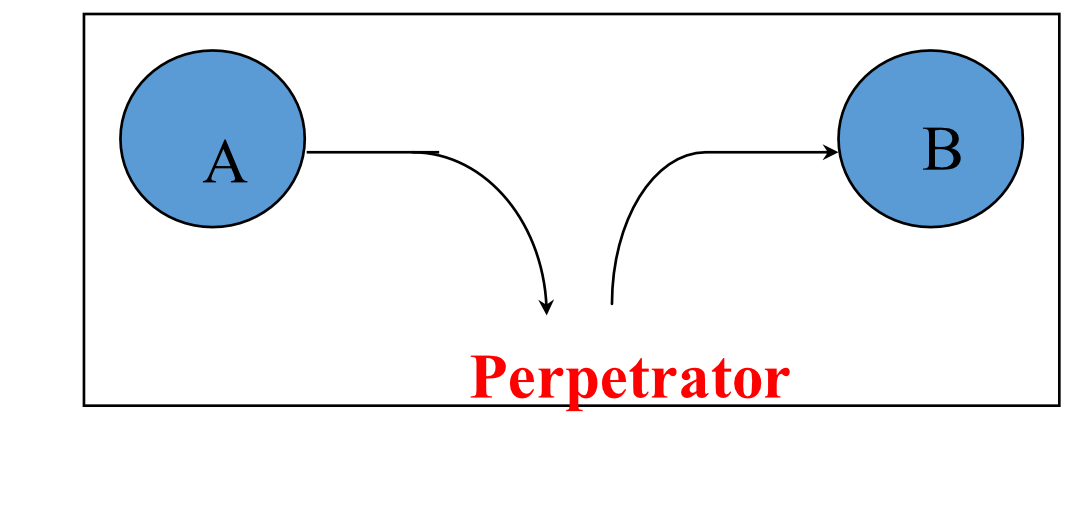
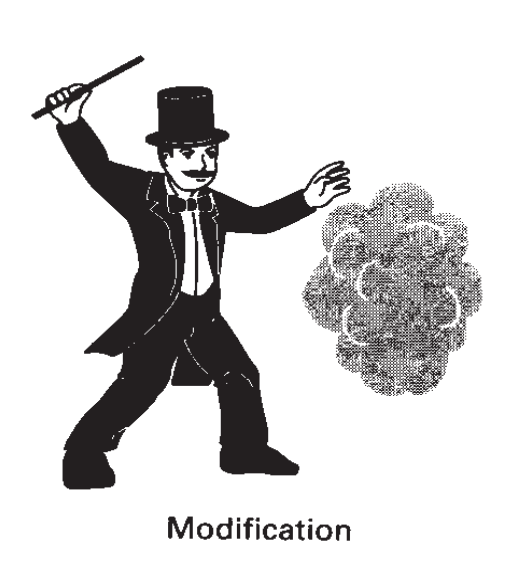
Modification: Attack on Integrity
A resource is tampered or changed
- Stop the flow of the message
- Delay and optionally modify the message
- Release the message again
Fabrication: Authenticity Attack
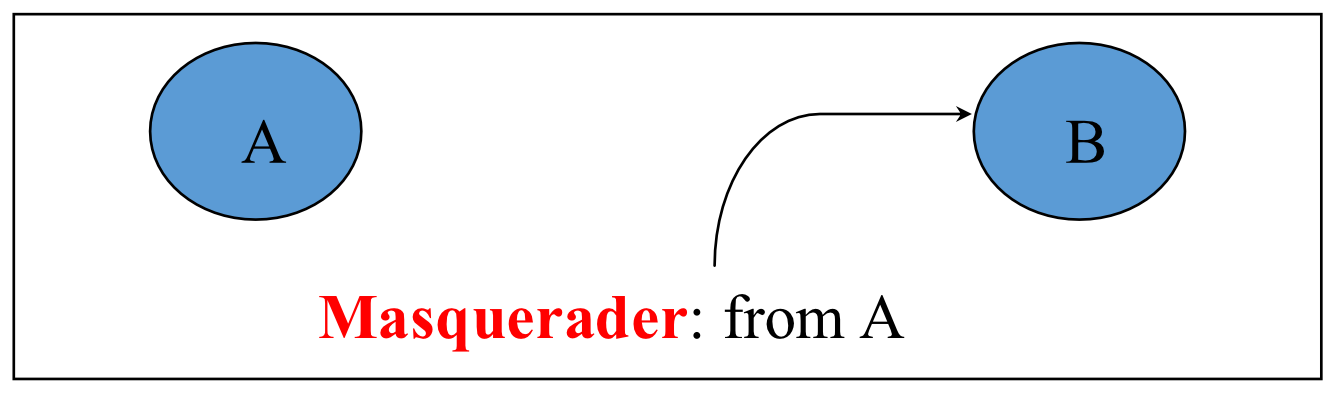
False data are added, and may be indistinguishable from real data
- Unauthorized assumption of other's identity
- Generate and distribute objects under this identity

Security Threats / Attacks
Passive attack: only view data, not modify data
Active attack: do change/add/update data
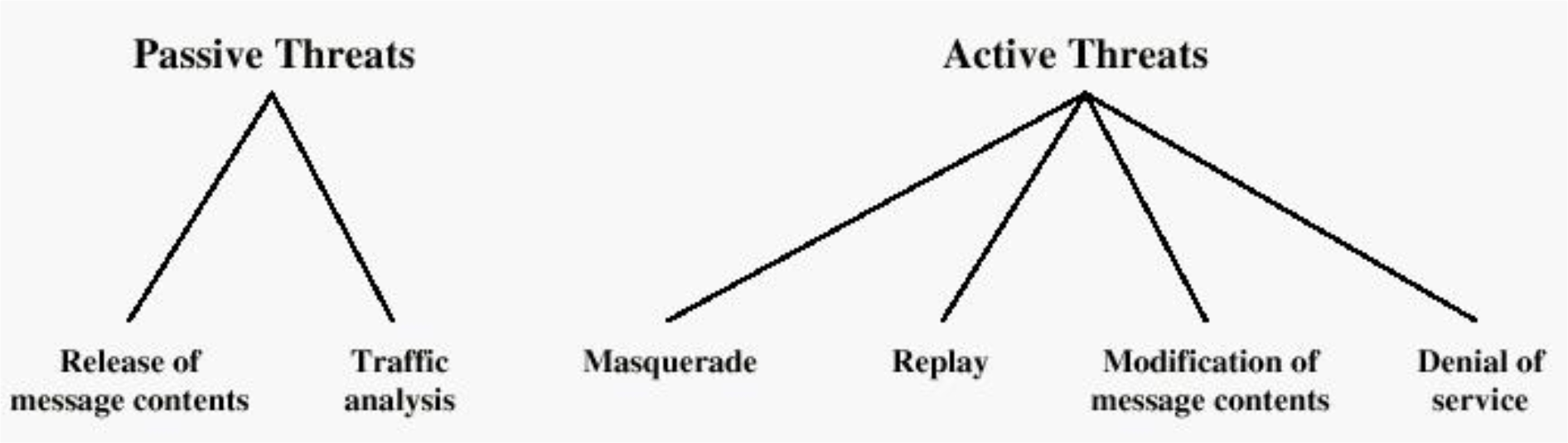
Passive Threats:
- Release of message contents
- Traffic analysis
Active Threats:
- Masquerade (violates authenticity)
- Replay
- Modification of message contents
- Denial of service
เอาให้เข้าใจง่าย ๆ แต่ละ threats เป็นยังไงละกัน
Security Threats / Attacks (Classification)
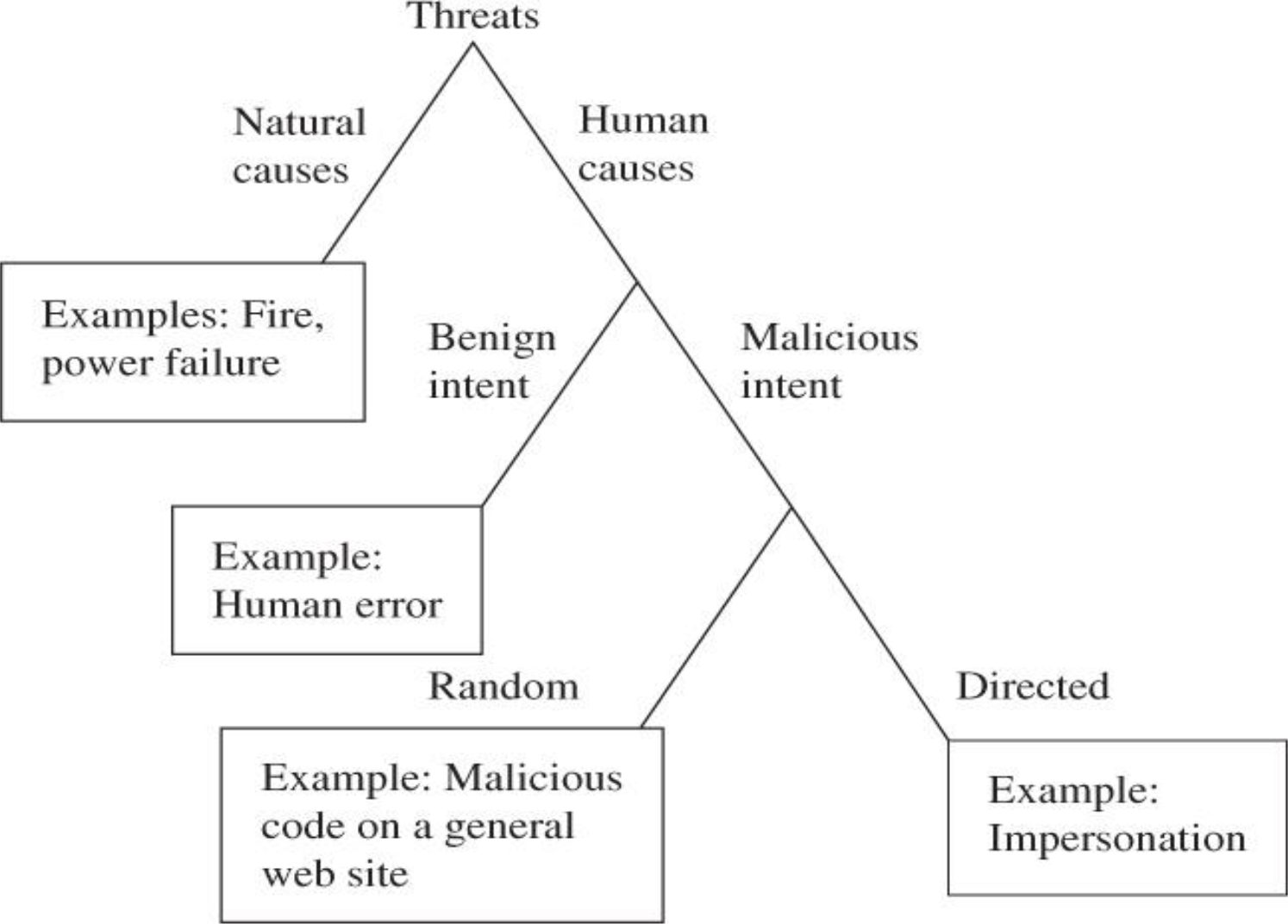
Threats Agents (Inside and Outside)
Threat Agent is an individual or group that can manifest a threat, and want to exploit the assets of an organization
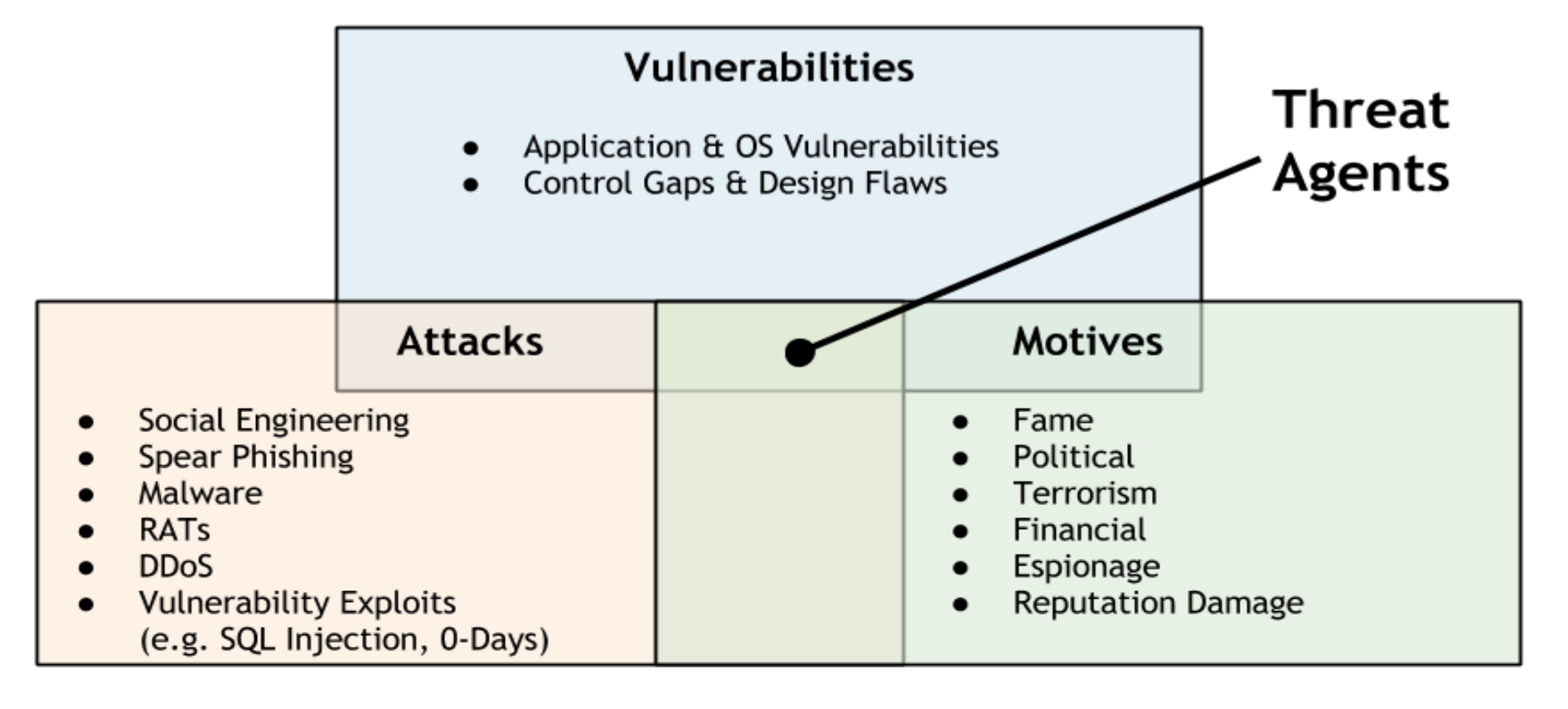
Vulnerabilities:
- Application & OS Vulnerabilities
- Control Gaps & Design Flaws
Attacks:
- Social Engineering
- Spear Phishing
- Malware
- RATs
- DDoS
- Vulnerability Exploits (e.g. SQL Injection, 0-Days)
Motives:
- Fame
- ถ้าคนอยากจะ Defame SIIT อาจจะ Defacement Attack เปลี่ยนหน้าตา Website ทำให้เสียหาย
- Political
- Terrorism
- Financial
- Espionage
- Reputation Damage
Security Attack Scenario
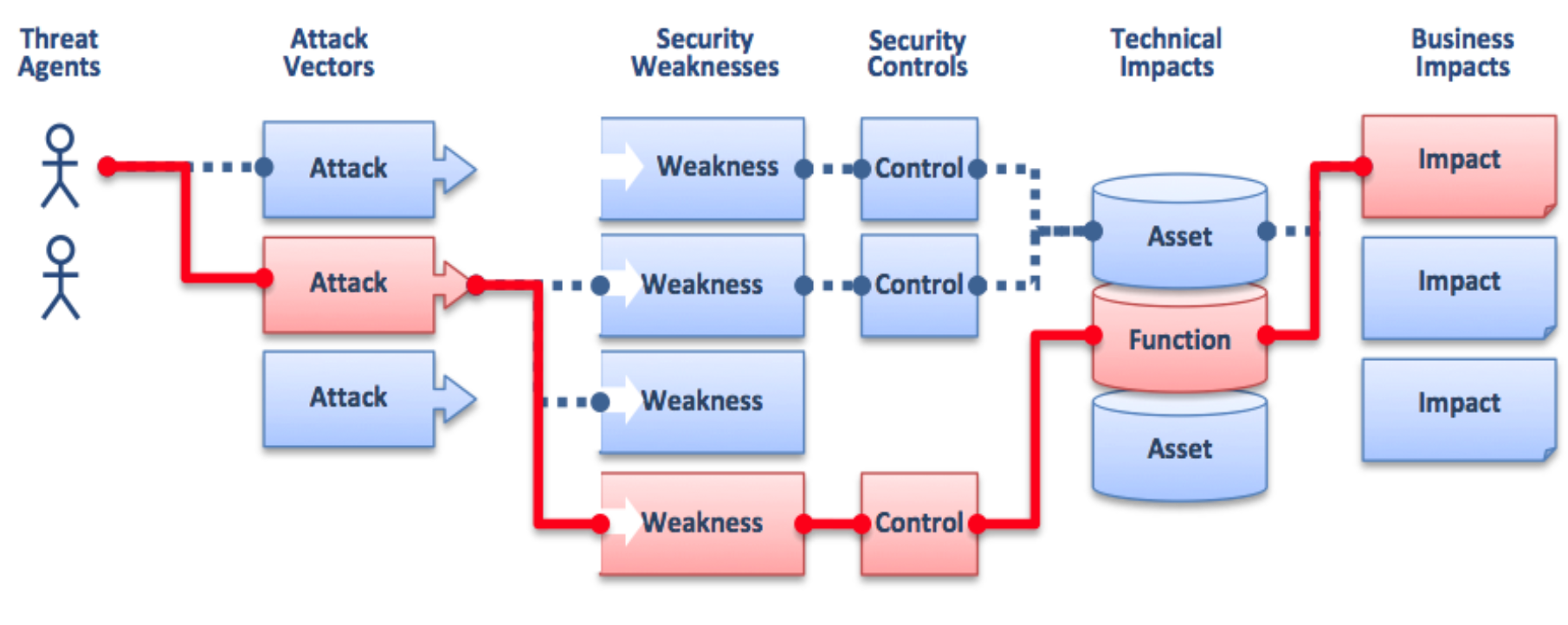
Threat Agents → Attack Vectors → Security Weaknesses ←→ Security Controls → Assets/Function → Technical Impacts → Business Impacts
The diagram shows multiple attack paths, where:
- Weaknesses without adequate controls lead to compromised assets/functions
- This results in technical impacts and ultimately business impacts
Security Concepts
Conceptual diagram showing relationships between security elements:
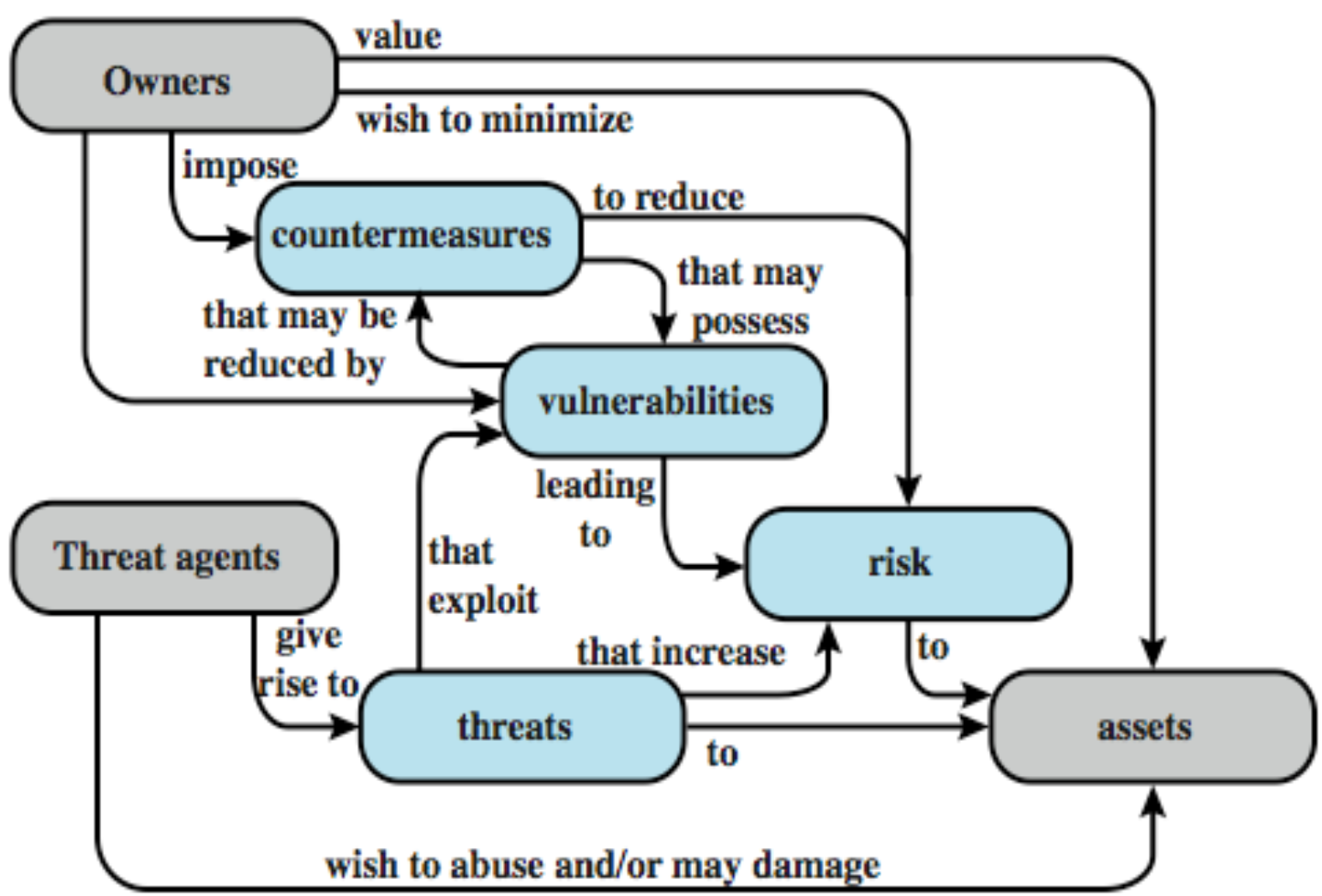
- Owners value assets and wish to minimize risk
- Owners impose countermeasures to reduce vulnerabilities = control นั่นแหละ
- Vulnerabilities may possess weaknesses that lead to risk to assets
- Threat agents exploit vulnerabilities, giving rise to threats that increase risk to assets
- Threat agents wish to abuse and/or may damage assets
Attackers need MOM
A malicious attacker must have 3 things:
- Method: the skills, knowledge, tools, and other things which can pull off the attack
- Opportunity: the time and access to accomplish the attack
- Motive: a reason want to perform this attack against the system
All attacks can be related and are dangerous!
Sample Real-World Attack
![Image from Thai news showing DDoS attack on Single Gateway]
Headline: "กลุ่มต่อต้าน Single Gateway โชว์ผลงานแฮกเว็บราชการ ล้าสุดโฉมดีเว็บท้าเนียบรัฐบาลแล้ว"
Translation Context: Attack on Thai Government's Single Gateway proposal, with DDoS by #SU group affecting www.thaigov.go.th on 23/12/16
Statistics:
- 23 ธ.ค. 59 (08:54 น.) | เปิดอ่าน 24,847 | ความคิดเห็น 29
- 8,996 ถูกแชร์ทั้งหมด
Real-world example:
This demonstrates how politically motivated attacks (hacktivism) can target critical government infrastructure.
Sample Attacks
Theft of confidential information (Threat to Personal Privacy)
- Identity theft
- Buying and selling confidential information from Social Security files
- Buying and selling bank account name lists
- A Princeton University student stole ~1800 credit card numbers, customer names, and user passwords from an e-commerce site
Unauthorized use of Network bandwidth or Computing resources
Spread of false information or fake stories
Disruption of legitimate services
Business Impact
6 Major Impacts of Cybercrime on Business
![Circular diagram showing:]
- Financial Losses (01)
- Reputational Damage (02)
- Operational Disruption (03)
- Legal and Regulatory Consequences (04)
- Intellectual Property Theft (05)
- Customer Trust and Loyalty (06)
Source: https://www.sprintzeal.com/blog/cybercrime-business-impacts
The Business Impact of a Data Breach
![IBM Security diagram showing costs breakdown:]
Direct Costs:
- Lost productivity
- Lost revenue
- Incident response and breach mitigation
- Following implementation of technical controls
Indirect Costs:
- Legal Costs, Potential litigation
- Potential fines due to compliance requirements
- Notification costs
- Customer loss
- Decline in share value
Financial Consequences of a Security Breach
How do the costs of a breach add up across six categories?
- 29% - Reputation and brand damage
- 21% - Lost productivity
- 19% - Lost Revenue
- 12% - Forensics
- 10% - Technical support
- 8% - Compliance Regulatory
Source: © 2014 IBM Corporation
Estimated Cost of Cybercrime Worldwide
![Bar chart showing exponential growth in trillion U.S. dollars:]
- 2018: 0.86
- 2019: 1.16
- 2020: 2.95
- 2021: 5.99
- 2022: 8.44
- 2023: 11.50
- 2024: 14.57
- 2025: 17.65
- 2026: 20.74
- 2027: 23.82
Source: https://www.sprintzeal.com/blog/cybercrime-business-impacts
Observation:
The cost is projected to nearly double every 2-3 years, reaching almost $24 trillion by 2027.
Types of Attackers
Amateurs
- Opportunistic attackers: Uses a password he found
Crackers (evil doers) or Hackers
- Crackers: enjoy simple challenge of trying to log in, just to see whether it can be done
Career criminals
- Understand the target of computer crime
Terrorists
- State-supported spies and information warriors
Examples of Balancing CIA
-
Disconnect computers from Internet to increase confidentiality
→ availability suffers, integrity suffers due to lost updates -
Have extensive data checks by different people/systems to increase integrity
→ confidentiality suffers as more people see data, availability suffers due to locks on data under verification
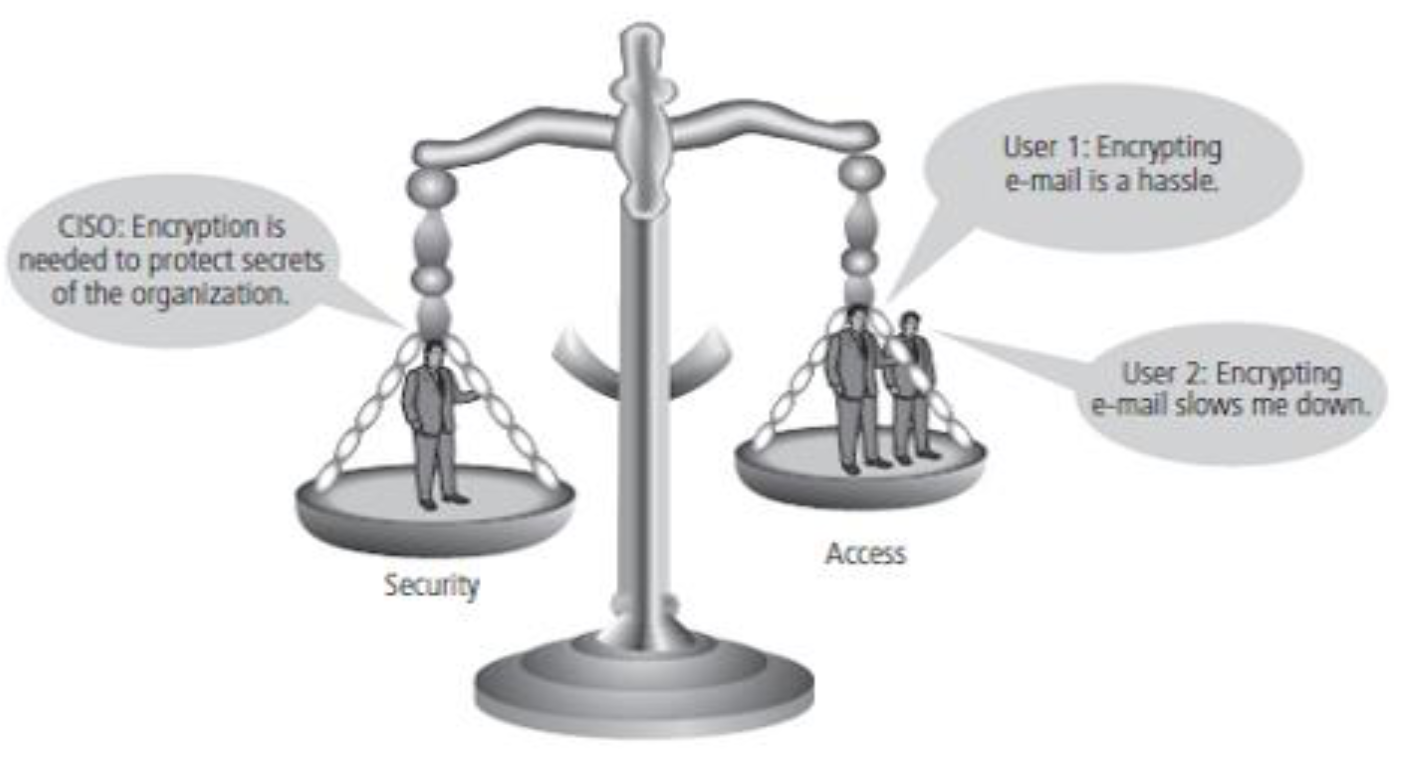
CISO: "Encryption is needed to protect secrets of the organization."
User 1: "Encrypting e-mail is a hassle."
User 2: "Encrypting e-mail slows me down."
Intuition:
Security is always a tradeoff. Perfect confidentiality (air-gapped system) destroys availability. Perfect availability (no access controls) destroys confidentiality. Real systems must balance these goals based on risk assessment.
Methods of Defense
Primary Defense Strategies
- Prevent attack: Block attack / Close vulnerability
- Deter attack: Make attack harder, but not impossible
- Deflect attack: Make another target more attractive
- Detect attack: During the attack or after it happens
- Recover from attack
Prevent attack เหล่านี้ ถูก กว่าต้องมา collect? ‘กู้ระบบ ข้อมูลหาย’ อยู่แล้วไง!
Controls/Countermeasures
To prevent exploitation of security holes or having a fortress to protect valuable people and property inside
Example: Strong locks on the doors with a burglar alarm
Use a combination of controls to secure our valuable resources according to:
- What we are protecting
- How the protection costs compare with the risk of loss
- How hard an intruder has to work to get what he wants
Example: Using a smart card with a PIN number
Types of Countermeasures
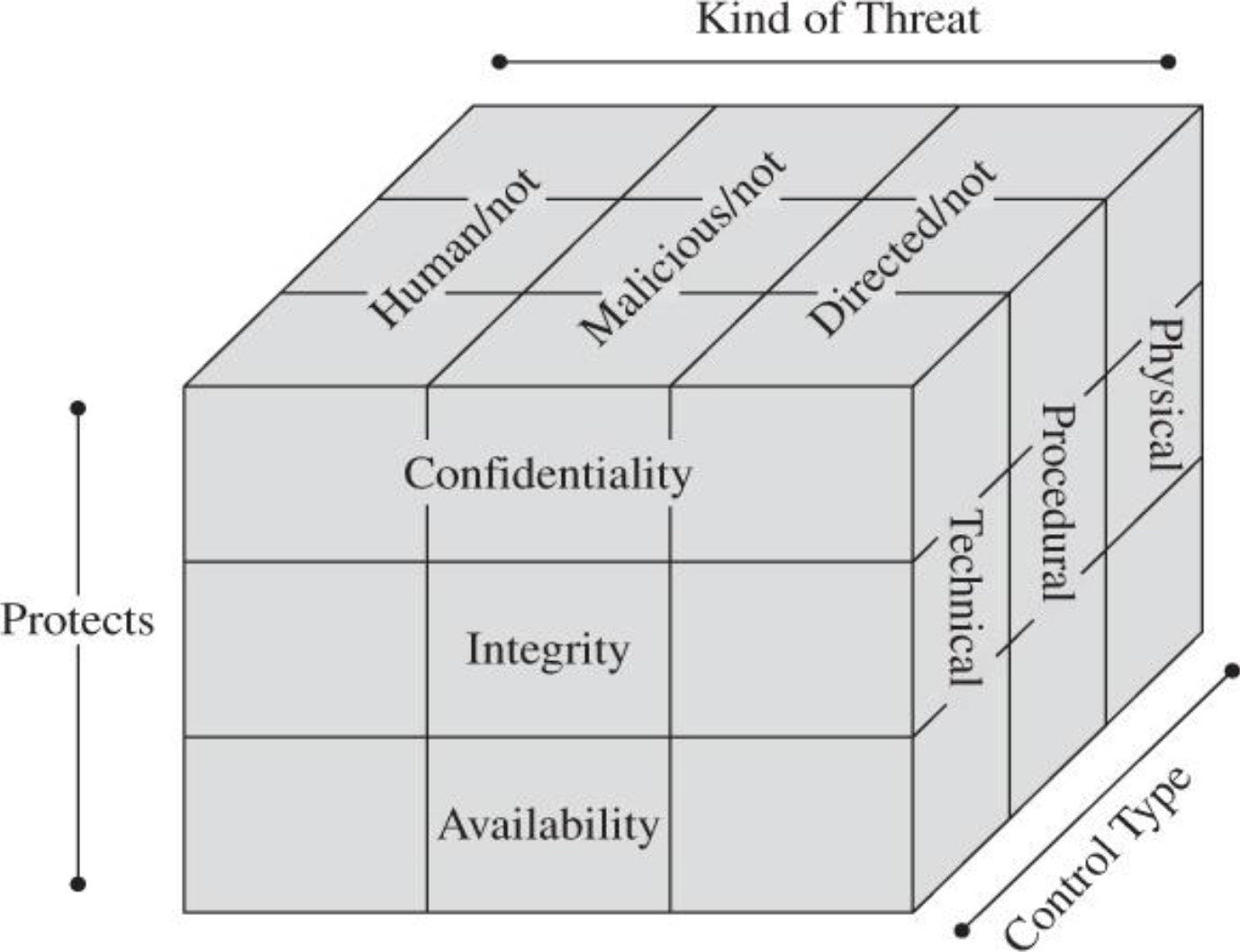
Dimensions:
- Kind of Threat: Human/not, Malicious/not, Directed/not
- Protects: Confidentiality, Integrity, Availability
- Control Type: Physical, Procedural, Technical
Control Categories
Physical controls
Stop or block an attack by using something tangible too, such as:
- Walls and fences
- Locks
- Human guards
- Sprinklers and other fire extinguishers
Procedural or administrative controls
Use a command or agreement that requires or advises people how to act:
- Laws, regulations
- Policies, procedures, guidelines
- Copyrights, patents
- Contracts, agreements
Technical controls
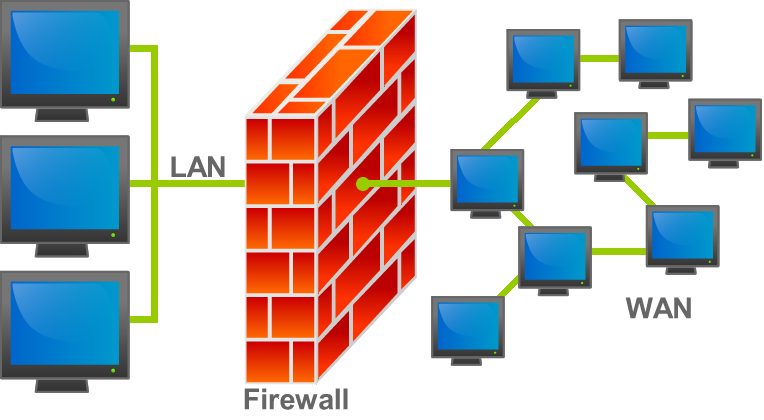
Counter threats with technology (hardware or software) including:
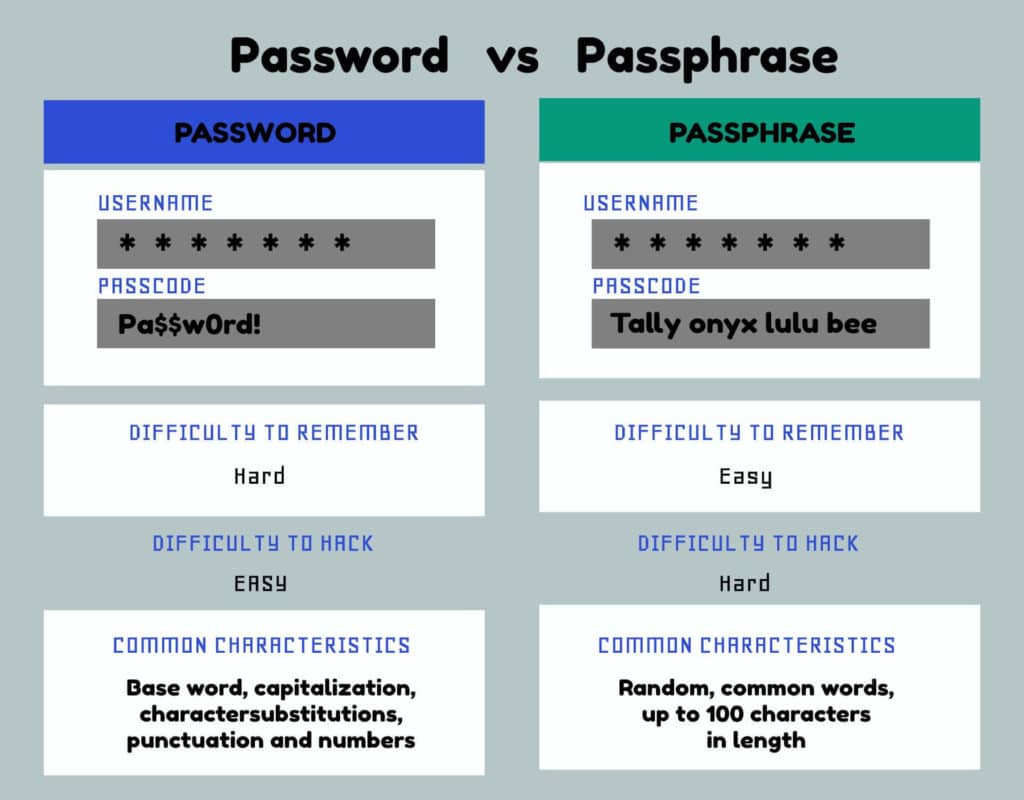
- Passwords
- Operating System
- Network protocols
- Firewalls
- Intrusion detection systems
- Encryption
- Network traffic flow regulators
Effects of Controls
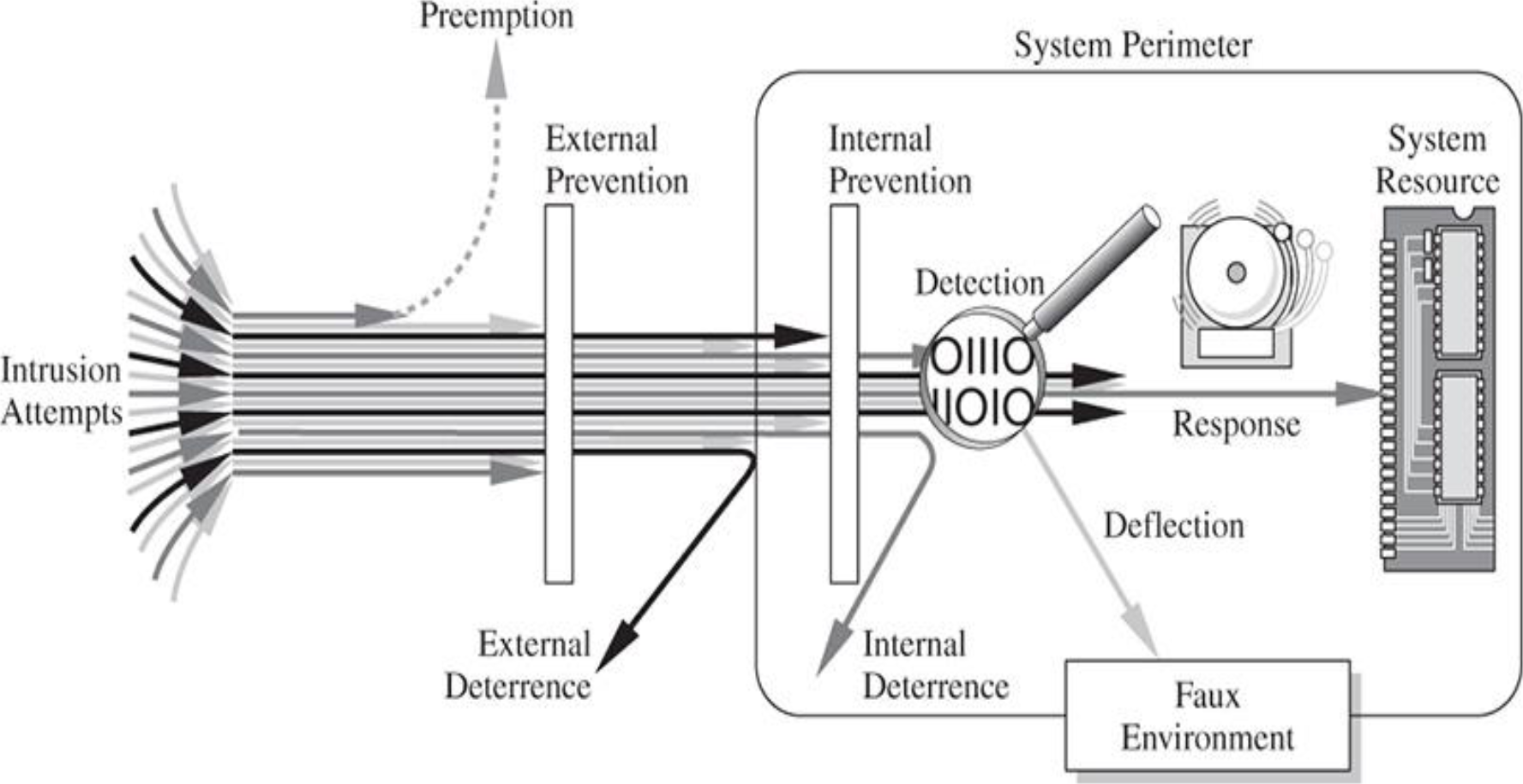
Intuition:
Defense in depth: Multiple layers of security controls. Even if one layer fails, others provide protection. Like a castle with moat, walls, guards, and inner keep.
Malicious
Encryption
- A powerful tool, but not solve all the problems
- Protects CIA:
- Confidentiality – by "masking" data
- Integrity – by preventing data updates;
- checksums included
- hashing?
- Availability – by using encryption-based protocols
Control Types
Software control
- Secure OS
- Virus scanner
- IDS
- Spam mail detector
Hardware control
- Locks
- Firewalls
Policies and procedures
- Policies (what are allowed/not allowed)
- Procedures (how to enforce the policy)
Physical controls
- Backup copies
- Security cameras
Recovery
Considered as soft defense - เพราะว่าเกิดแล้วไง เราเลยต้องมากู้ทีหลัง!
- Backup files/storages
- Logs: Intruder detection
- Support audit-ability
- Error detection and correction
Effectiveness of Controls
- Awareness of the Problem
- Likelihood of Use
- Overlapping Controls
- Periodic Review:
- Control ก็ไม่ได้จะ lasts forever นะจ๊ะ
- attack มัน evolve ตลอดเวลา
Process: Defense-in-Depth Continual Security
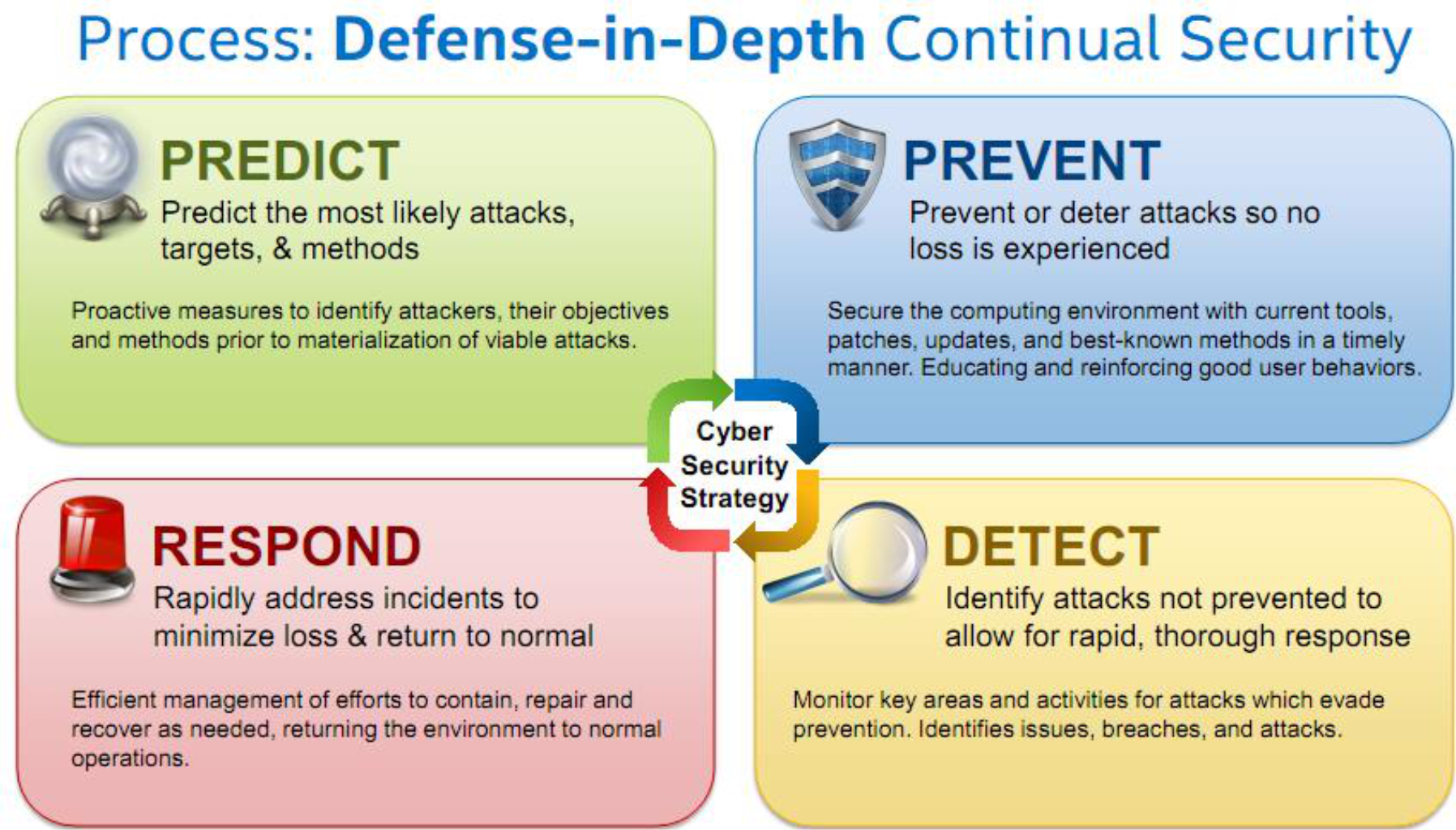
PREDICT
Predict the most likely attacks, targets, & methods
Proactive measures to identify attackers, their objectives and methods prior to materialization of viable attacks.
PREVENT
Prevent or deter attacks so no loss is experienced
Secure the computing environment with current tools, patches, updates, and best-known methods in a timely manner. Educating and reinforcing good user behaviors.
DETECT
Identify attacks not prevented to allow for rapid, thorough response
Monitor key areas and activities for attacks which evade prevention. Identifies issues, breaches, and attacks.
RESPOND
Rapidly address incidents to minimize loss & return to normal
Efficient management of efforts to contain, repair and recover as needed, returning the environment to normal operations.
Cyber Security Strategy (shown at center connecting all four quadrants)
Preventive Controls
Preventive: Administrative
- Policies and procedures
- Effective hiring practices
- Pre-employment background checks
- Controlled termination processes
- Data classification and labeling
- Security awareness
Preventive: Physical
- Badges, swipe cards
- Guards, dogs
- Fences, locks, mantraps
Preventive: Technical
- Passwords, biometrics, smart cards
- Encryption, secure protocols, call-back systems, database views, constrained user interfaces
- Antimalware software, access control lists, firewalls, intrusion prevention system
Fighting Computer Crime
Digital Forensics
Key Areas:
- Technology
- Law Enforcement
- Individual Rights
- Societal Rights
- Judiciary
- Ethics
- ...
![Image showing digital forensics lab with multiple hard drives and forensic equipment being examined]
Digital Forensics
ไม่พูดถึงมาก
Digital Forensic Investigation Process
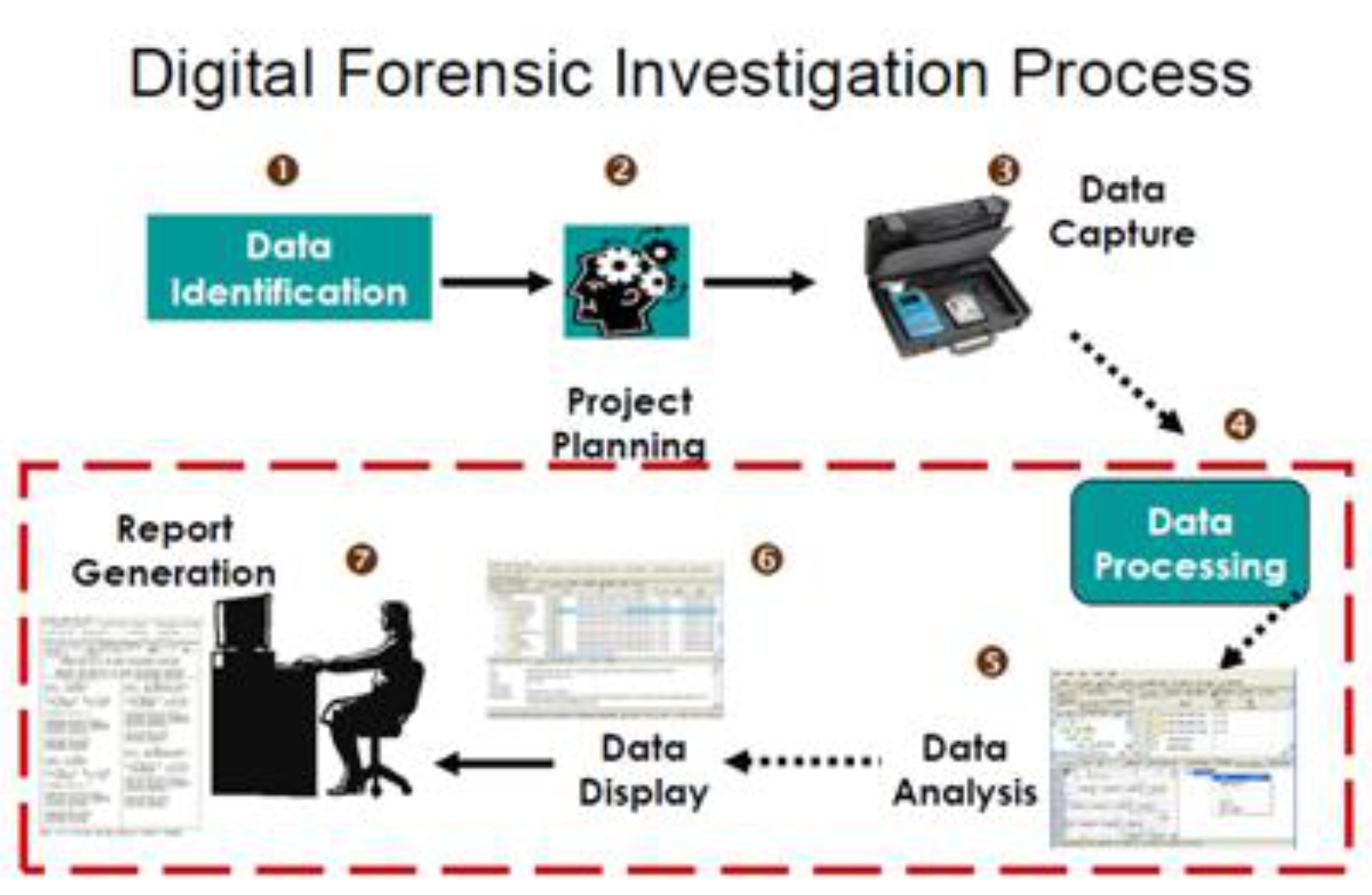
- Data Identification →
- Project Planning →
- Data Capture →
- Data Processing →
- Data Analysis →
- Data Display →
- Report Generation
(Steps 4-7 are enclosed in a dashed box indicating the core analysis phase)
Intuition:
Digital forensics is like crime scene investigation for computers. Every step must maintain the "chain of custody" to ensure evidence is admissible in court.
Security Principles
Principle of Easiest Penetration
Expect an intruder to use any available means
ต้อง aware ตลอดเวลาว่า ระบบเราไม่ได้เริ่ดขนาดนั้น ถูกเจาะได้เสมอ! (??CHECK)
Principle of Adequate Protection
- All resources must be protected to a degree consistent with their values.
- Goal is not to maximize security, but to maximize utility while control risk to an acceptable level within a reasonable cost
Principle of effectiveness
- Controls must be used and used properly to be effective
- They must be efficient, easy to use, and appropriate
- Psychological acceptability
Principle of the Weakest Link
Security can be no stronger than its weakest link !!!
Analogy:
A chain breaks at its weakest link. If you have a $10,000 firewall but use "password123", the attacker will go for the password, not the firewall.
Six Common Security Laws
- Information wants to be free (people tends to share info)
- Code wants to be wrong (written by human)
- Service wants to be on (always active)
- User wants to click (with curiosity)
- Even a security feature can be used for harm
- The efficacy of a control deteriorates with time (less effectiveness)
Final Thoughts
Quote
Two types of victims exist: those with something of value and those who are easy targets
Therefore: Don't be an easy target, and protect your valuables