- Instructor: Dr. Apichon Witayangkurn (apichon@siit.tu.ac.th)
- Note: Lecture notes adapted with modification from book material that accompany the book "Computer Networking: a Top-Down Approach"
Course Overview
Objectives of the Class
- Provide principles and concepts of networking and protocols emphasizing application, data link, network, and transport protocols
- Provides insight into practical networks, including various kinds of network architectures, protocols, and routing algorithms
- For Example: TCP, UDP, HTTP, DNS, FTP, SMTP
Learning Outcomes
- Understand the concept of Computer networks and OSI Layers
- Explain the operation of protocols in the TCP/IP and the requirements of protocols
- Describe the architecture of the Internet and the components involved in the day-to-day running network
- Analyze, capture network traffic and apply the theory of fundamental network performance analysis
- Understand the concept of network security and identify security issues
Class Structure
- Main Lectures: 13 lectures (3 hours with 10-15 mins break)
- Section 1: Thu 13:00 - 16:00
- Section 2: Fri 09:00 - 12:00
- Attendance check: random check (5%)
- Homework Assignments: 4 homework (35%)
- Takes a lot of time to do. (Practical thing)
- Midterm Exam: Onsite-based exams
- Final Exam: Onsite-based exams
Course Schedule
| No. | Section 1 (Thu, 13:00-16:00) BKD3204 | Topic | Outline |
|---|---|---|---|
| Lecture 1 | Thursday, January 8, 2026 (BKD) | Introduction | Introduction, Protocol, Layering |
| Lecture 2 | Thursday, January 15, 2026 | Computer Networks and Internet | Internet Structure, Network of Network, Nework Tier, Access Network How we connect the internet (if Thailand wants to connect to the internet, what to do? Jump the cable to somewhere… |
| Lecture 3 | Thursday, January 29, 2026 | Application Layer | Principle, Web, HTTP, Email What kind of message exchanged internally, HTTP protocol (version 1, 1.1, 2, 3), and how about email-related protocol SMTP, POP3, IMAP |
| Lecture 4 | Thursday, February 5, 2026 | Application Layer II | DNS, P2P, Streaming, Socket Programming npwitk.com (domain name) doesn’t do anything, we need the IP address, so DNS help us convert here. Socket Programming to communicate over the network |
| Lecture 5 | Thursday, February 12, 2026 | Transport Layer | Services, Multiplexing, UDP, Principles of reliable data transfer |
| Lecture 6 | Thursday, February 19, 2026 | Transport Layer II | Port Number, TCP, Connection Management, Flow Control, Congestion Control TCP = Reliable protocol |
| Midterm | Monday, Feb 23, 2026 09:00 -11:00 (2 hrs) | Midterm Exam | |
| Lecture 7 | Thursday, March 5, 2026 | Network Layer I | Network Component, Overview Data & Control Plane, IP, DHCP |
| Lecture 8 | Thursday, March 12, 2026 | Network Layer II | IP Classful, CIDR, VLSM, IPv6, NAT, ICMP, SNMP Separate IP into different subnets, groups, segments. |
| Lecture 9 | Thursday, March 19, 2026 | Network Layer III | Router, Routing Algorithms (Link State, Distance Vector) |
| Lecture 10 | Thursday, March 26, 2026 | Network Layer IV | Routing Protocols, Software-Defined Network (SDN) |
| Lecture 11 | Thursday, April 2, 2026 | Link Layer | Link layer, Error Detection, LANS, NIC, ARP, Ethernet, UTP (Lan cable) |
| Lecture 12 | Thursday, April 9, 2026 | The Link Layer and LANs | Switch, VLANS, Data Center |
| Lecture 13 | Thursday, April 23, 2026 | Wireless Network & Security | Wireless (2.4G, 5GHz), Frequency, Channel, CSMA/CA, Wireless Security, Firewall |
| Final | Friday, May 8, 2026 13:30 -16:30 (3hrs) | Final Exam |
Grading
| Assessment Method | % Marks |
|---|---|
| Class Attendance | 5% |
| Homework Assignments (4 sets) | 35% |
| Midterm Exam | 30% |
| Final Exam | 30% |
| Total | 100% |
Remark:
- Check course schedule (date and time)
- Attend lecture
- Work on assignments
- Don't forget exam date!
Textbook

James F. Kurose, Keith Ross
Computer Networking: a Top-Down Approach, 8th Edition
Publisher: Pearson, 2020
ISBN-13: 9780135928738
Lecture notes: adapted with modification from book material that accompany the book "Computer Networking: a Top-Down Approach"
Introduction
Overview/Roadmap
- What is the Internet? What is a protocol?
- Network edge: hosts, access network, physical media
- Network core: packet/circuit switching
- Protocol layers, service models
- Security
What is The Internet?
The Internet is a global network of billions of computers and other electronic devices. With the Internet, it's possible to access almost any information, communicate with anyone else in the world, and do much more.
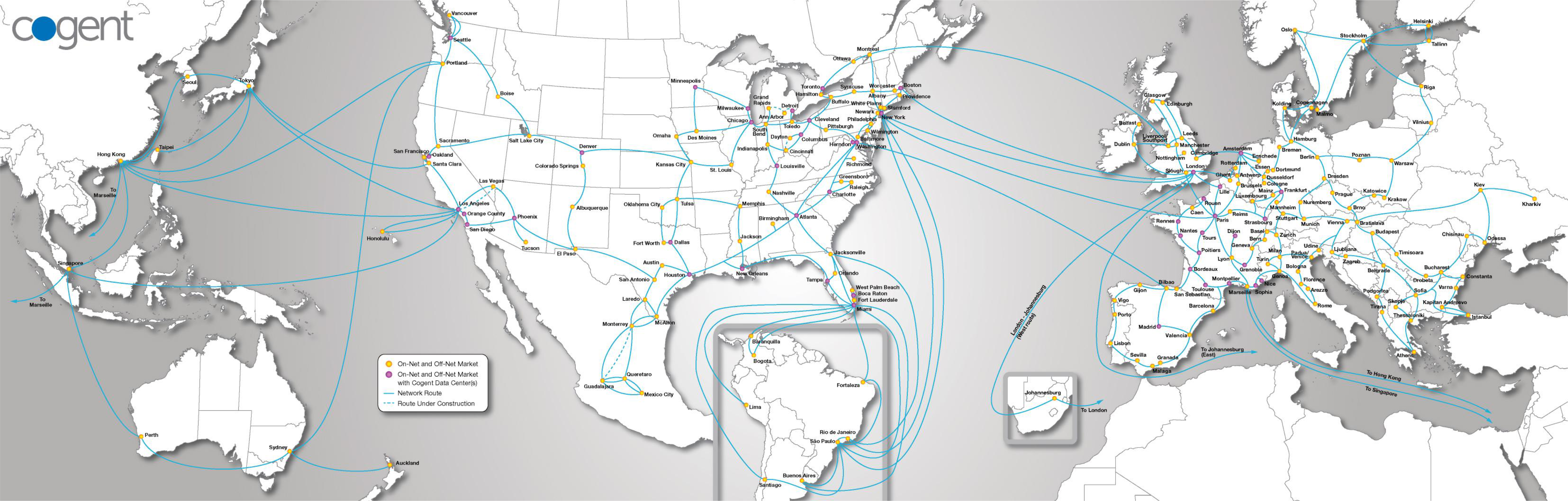
Think of the Internet like a massive highway system connecting cities (computers) all over the world, allowing vehicles (data) to travel between them.
The Internet: A Basic View
Billions of Connected Computing Devices (Hosts = End Systems)
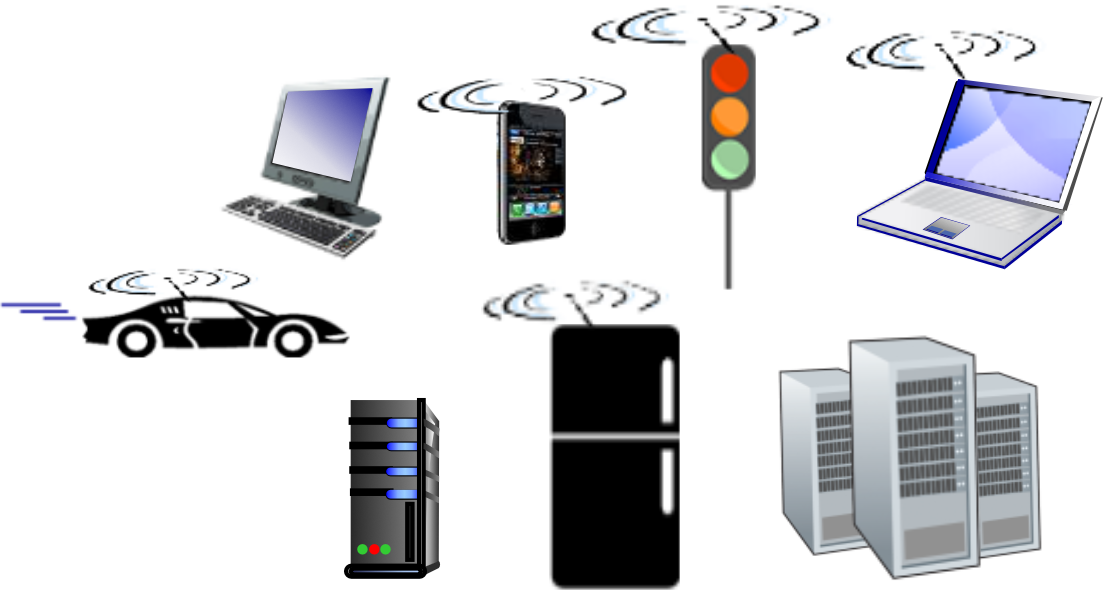
- hosts = end systems
- Running network apps at Internet's "edge"
Packet Switches
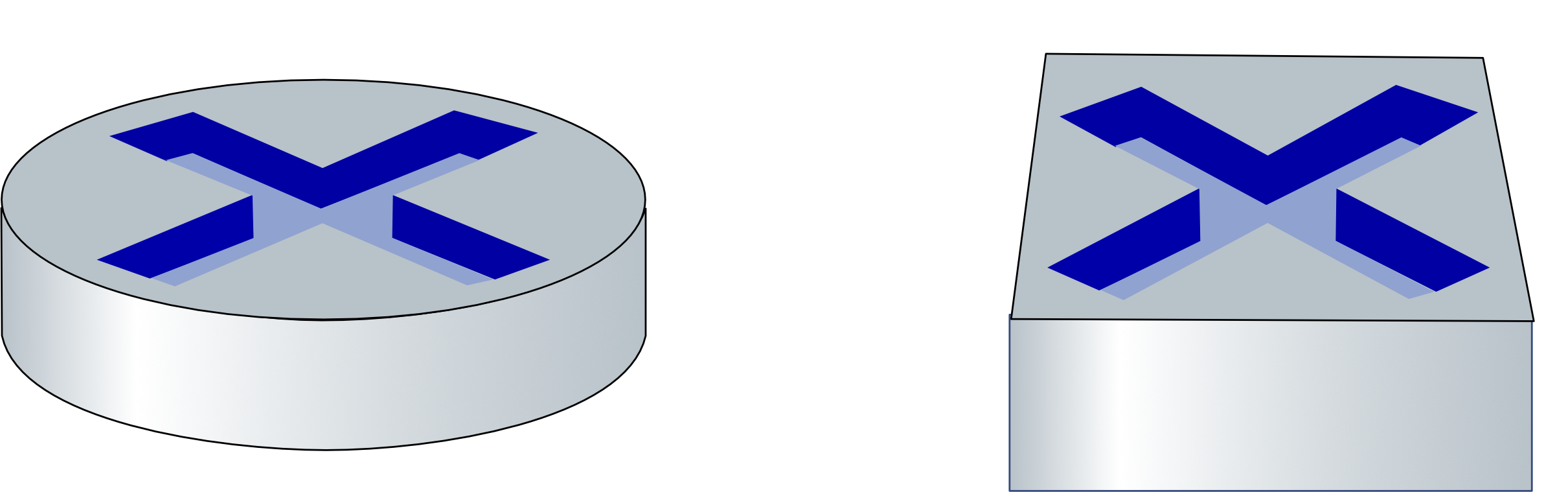
- Forward packets (chunks of data)
- routers, switches
Communication Links
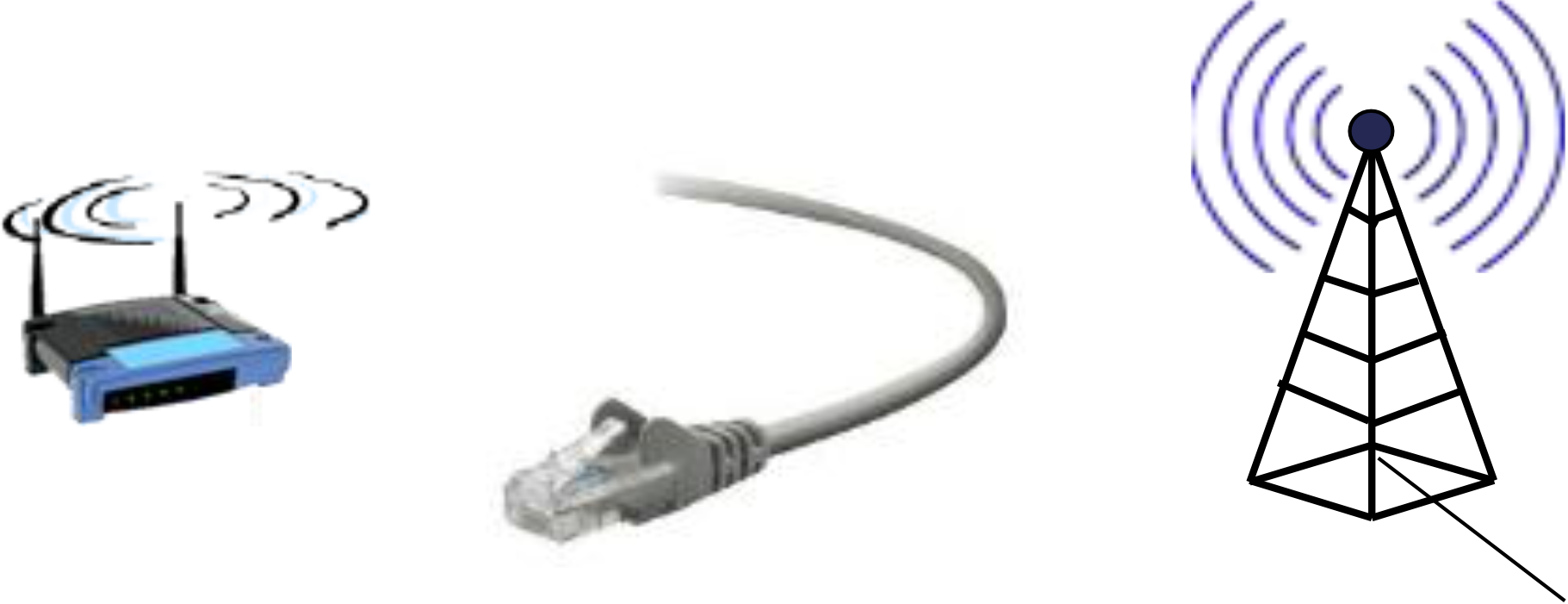
- fiber, copper, radio, satellite
- Transmission rate: bandwidth
Networks

- Collection of devices, routers, links: managed by an organization
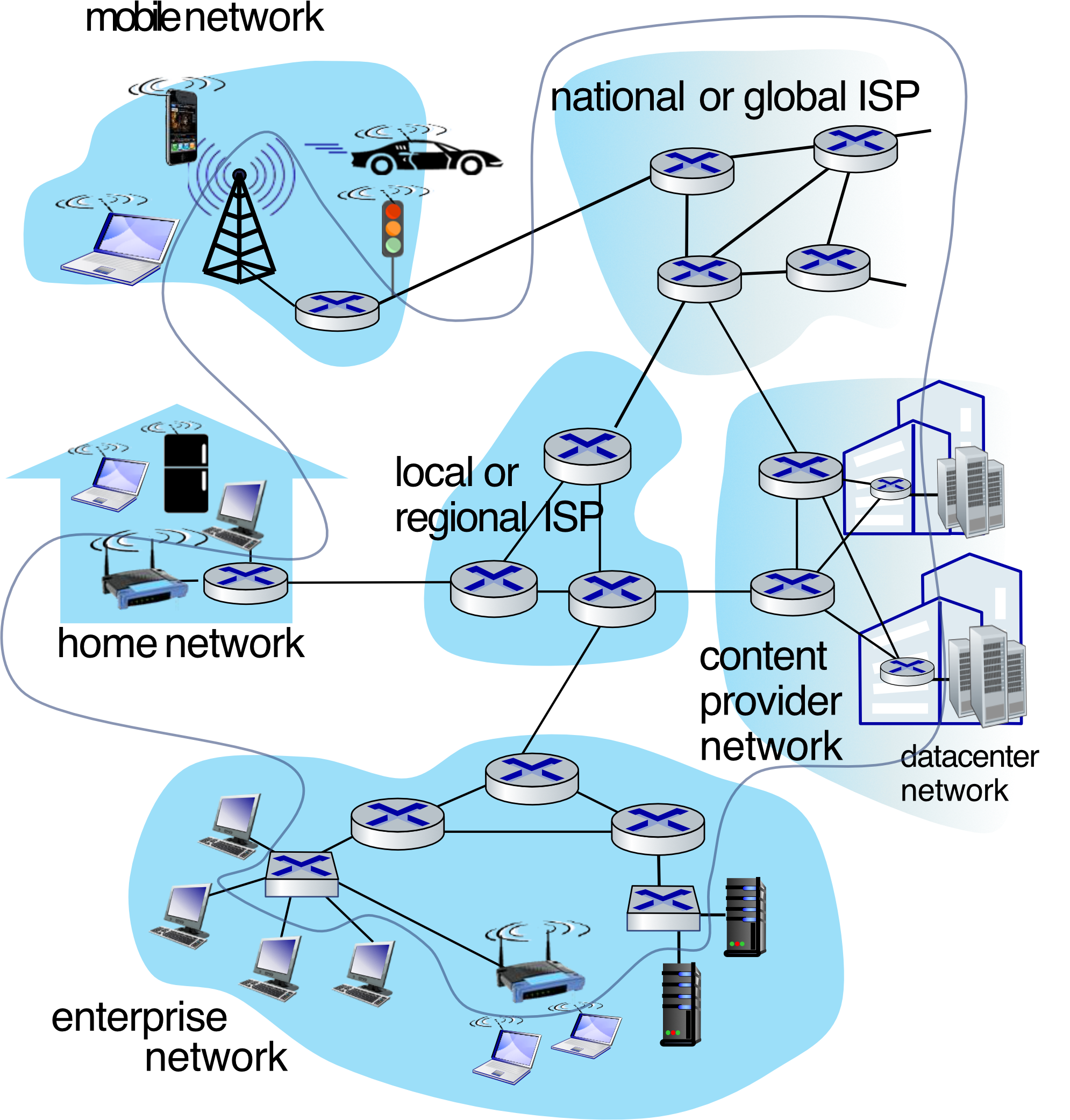
Internet: "Network of Networks"
- Interconnected ISPs
Protocols Are Everywhere
- Control sending, receiving of messages
- e.g., HTTP (Web), streaming video, Skype, TCP, IP, WiFi, 4G, Ethernet
Internet Standards
- RFC: Request for Comments
- IETF: Internet Engineering Task Force
A Closer Look at Internet Structure
Network Edge
- hosts: clients and servers
- servers often in data centers
Access Networks, Physical Media
- wired, wireless communication links
Network Core
- interconnected routers
- network of networks
Internet-Connected Devices
Examples of Internet-connected devices:
- Amazon Echo
- Internet refrigerator
- IP picture frame
- Security Camera
- Internet phones
- Slingbox: remote control cable TV
- Gaming devices
- Pacemaker & Monitor
- Web-enabled toaster + weather forecaster
- Tweet-a-watt: monitor energy use
- AR devices
- Fitbit
- sensorized, bed mattress
- bikes
- cars
- scooters
- Others?
Data Center
Colocation Services = put your server in data center
Data Center Components
- 2U BigTwin™
- GPU
- Ultra
- 3U/6U MicroBlade™
- Mainstream Servers
- Storage Systems
- Supermicro RSD
Server Pricing Examples
Server 1U:
- 2,000
2,400/ Month - IP address (IPv4) 1 IP
- Domestic Bandwidth 1 Gbps
- International Bandwidth
- 3 Mbps (Upload) /10 Mbps (Download)
- Power 1 AMP / 1 Outlet
- NOC Support 24×7
Server 2U:
- 3,000
3,400/ Month - IP address (IPv4) 1 IP
- Domestic Bandwidth 1 Gbps
- International Bandwidth
- 3 Mbps (Upload) /10 Mbps (Download)
- Power 1.5 AMP / 2 Outlet
- NOC Support 24×7
Access Network Components
Hardware Components
- 2 Port Repeater
- ADSL modem with Wi-Fi
- 8 Port HUB
- Ethernet Card
- 24 Port FE+ 2 Port SFP Combo
- Switch
- Wireless Router Front & Rear View
- Router
- Broadband Router
- Modem with Fiber Optic
Switch with POE (Power over Ethernet)
POE Switch Configuration
- PoE switch connected to AC power
- Provides both power and data through Ethernet cable
- Distance: up to 100 m
Supported Devices
- IP Phones (PoE supported)
- Wireless Access Points (PoE supported)
- IP Camera (PoE supported)
- PDs (Powered Devices)
Alternative: PoE Injector
- non-PoE Ethernet switch → PoE injector
- AC power → SFP
- Distance: fiber up to 160 m
- Distance: up to 100 m
POE is like having electricity and internet running through the same cable - convenient for devices like cameras and wireless access points that need both.
Access Networks, Physical Media
Network Topology Example
- PC #1 connected to router
- Networked Printer/FAX Copier/Scanner
- Laptop
- New Ethernet Switch with Uplink Port
- PC #2, PC #3
- Router has LAN Ports, WAN Port
- Connection To DSL/Cable Modem
Network Architecture – Office
Office Network Components
- Internet connection
- Firewall for security
- Router for network routing
- WiFi Router for wireless connectivity
- Switch for wired connections
- Multiple Switches for different network segments
- Laptop PC and Smartphone (wireless devices)
- Server for network services
- Desktop PC workstations
- IP Phone systems
- Printer and Scanner devices
- Various Ring topology connections
An office network is like a city's infrastructure - the router is the main highway interchange, switches are local roads, WiFi is public transportation, and the firewall is the city security checkpoint.
Links: Physical Media
Bit Propagation
- Bit: propagates between transmitter/receiver pairs
- Physical link: what lies between transmitter & receiver
Guided Media
- Signals propagate in solid media: copper, fiber, coax
Unguided Media
- Signals propagate freely, e.g., radio
Twisted Pair (TP)
- Two insulated copper wires
- Category 5: 100 Mbps, 1 Gbps Ethernet
- Category 6: 10 Gbps Ethernet
Unshielded Twisted Pair (UTP) Categories
| UTP Category | Data Rate | Max. Length | Cable Type | Application |
|---|---|---|---|---|
| CAT1 | Up to 1Mbps | - | Twisted Pair | Old Telephone Cable |
| CAT2 | Up to 4Mbps | - | Twisted Pair | Token Ring Networks |
| CAT3 | Up to 10Mbps | 100m | Twisted Pair | Token Rink & 10BASE-T Ethernet |
| CAT4 | Up to 16Mbps | 100m | Twisted Pair | Token Ring Networks |
| CAT5 | Up to 100Mbps | 100m | Twisted Pair | Ethernet, FastEthernet, Token Ring |
| CAT5e | Up to 1 Gbps | 100m | Twisted Pair | Ethernet, FastEthernet, Gigabit Ethernet |
| CAT6 | Up to 10Gbps | 100m | Twisted Pair | GigabitEthernet, 10G Ethernet (55 meters) |
| CAT6a | Up to 10Gbps | 100m | Twisted Pair | GigabitEthernet, 10G Ethernet (55 meters) |
| CAT7 | Up to 10Gbps | 100m | Twisted Pair | GigabitEthernet, 10G Ethernet (100 meters) |
CAT7 has additional shielding for better performance.
Links: Physical Media (Continued)
Coaxial Cable
- Two concentric copper conductors
- Bidirectional
- Broadband:
- Multiple frequency channels on cable
- 100's Mbps per channel
Fiber Optic Cable
- Glass fiber carrying light pulses, each pulse a bit
- High-speed operation:
- High-speed point-to-point transmission (10's-100's Gbps)
- Low error rate:
- Repeaters spaced far apart
- Immune to electromagnetic noise
Fiber optic cables are like high-speed trains - they carry massive amounts of data very quickly with minimal interference, while coaxial cables are more like regular highways.
Links: Physical Media - Wireless Radio
Wireless Radio Characteristics
- Signal carried in various "bands" in electromagnetic spectrum
- No physical "wire"
- Broadcast, "half-duplex" (sender to receiver)
Propagation Environment Effects
- Reflection
- Obstruction by objects
- Interference/noise
Radio Link Types
-
Wireless LAN (WiFi)
- 10-600's Mbps; 10's of meters
-
Wide-area (e.g., 4G cellular)
- 10's Mbps over ~10 Km
-
Bluetooth: cable replacement
- Short distances, limited rates
-
Terrestrial microwave
- Point-to-point; 45 Mbps channels
-
Satellite
- Up to 45 Mbps per channel
- 270 msec end-end delay
Access Network: Wi-Fi Access
WLAN Frequency Bands Comparison
| Feature | 2.4 GHz | 5 GHz |
|---|---|---|
| Data Transmission | Slow Data Transmission | Fast Data Transmission |
| Coverage | Covers Long Distance | Covers Short Distance |
| Channels | 14 Channels | 23 Channels |
| Channel Overlap | Overlapping Channels | No Overlapping |
| IEEE Standards | IEEE 802.11b, IEEE 802.11g, IEEE 802.11ax | IEEE 802.11a, IEEE 802.11n, IEEE 802.11ac, IEEE 802.11ax |
WiFi Evolution
IEEE Standards:
- 802.11b → 80211g → 802.11n → 802.11ac → 802.11ax → 802.11be
- WiFi → WiFi 4 → WiFi 5 → WiFi 6/6E → WiFi 7 (?)
| Rel. Year | 1999 | 2007 | 2009 | 2013 | 2020 | 2023(?) |
|---|---|---|---|---|---|---|
| Freq. Band | 2.4 GHz | 2.4 GHz | 2.4 + 5 GHz | 5 GHz | 2.4 + 5 + 6 GHz (6E) | 2.4 + 5 + 6 GHz |
| Bandwidth | 20 MHz | 20 MHz | 40 MHz | 80 MHz, 160 MHz | 80 MHz, 160 MHz | 240 MHz, 320 MHz |
Access Network: Cell Tower
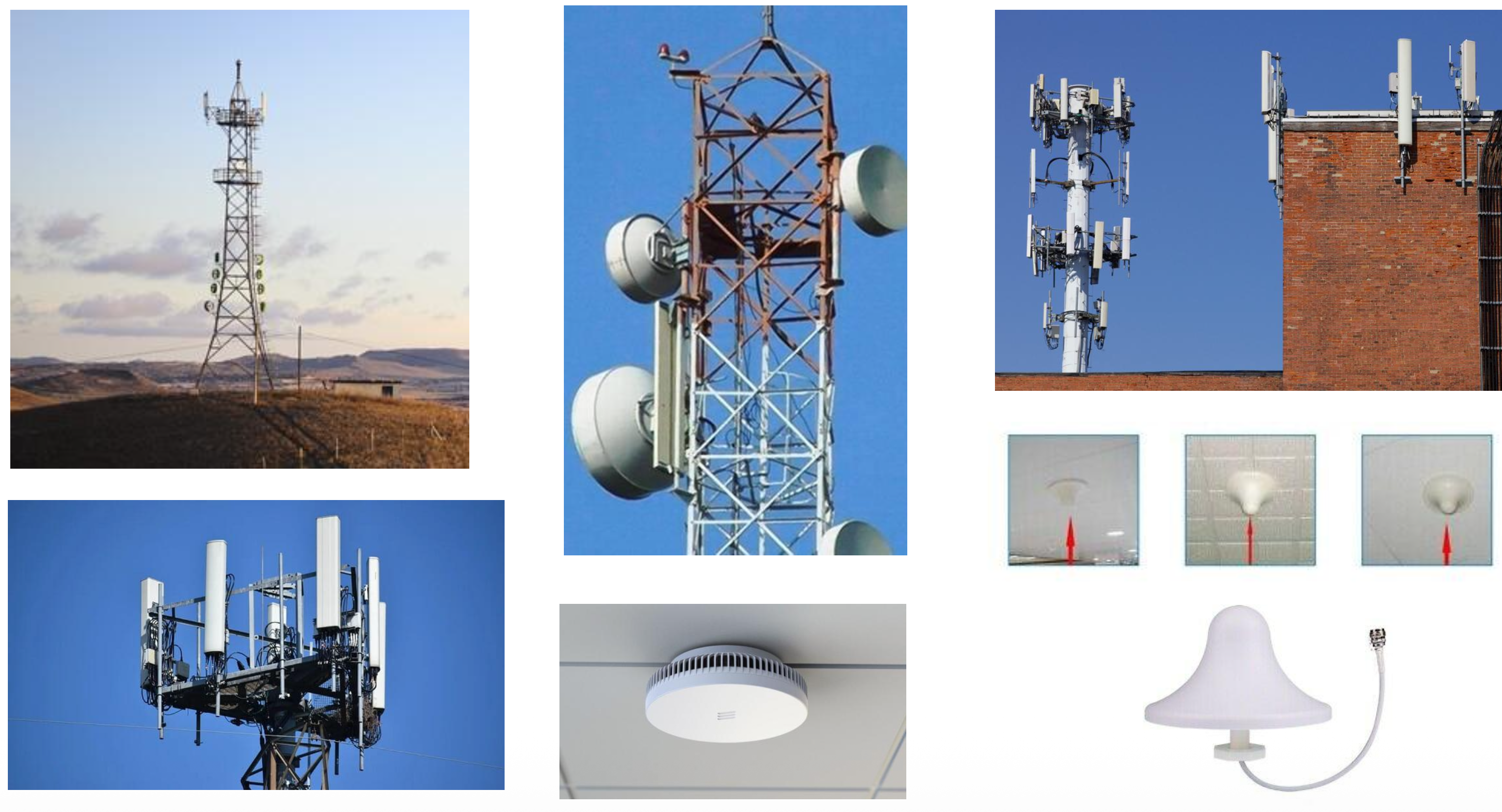
Images of various cell tower configurations including:
-
Traditional cell towers
-
Building-mounted antennas
-
Directional antennas
-
Indoor small cells
-
Pico Cell
- ขยายสัญญาณโทรศัพท์
Access Network: Satellite
Corporate Broadband Services
Star Link system featuring IPSTAR Satellite
Network Configuration
CS LoxInfo Internet Network Operation Center → Internet → Corporate User
Hub/Switch → IP Star Network Box connects to Corporate User
Satellite internet is like having a direct line to space - useful for remote areas where traditional cables can't reach, but with slightly longer delays due to the distance signals must travel.
The Network Core
Key Components
- Mesh of interconnected routers
- Packet-switching: hosts break application-layer messages into packets
- Network forwards packets from one router to the next, across links on path from source to destination
Two Key Network-Core Functions
1. Routing
- Global action: determine source-destination paths taken by packets
- Routing algorithms
2. Forwarding
- aka "switching"
- Local action: move arriving packets from router's input link to appropriate router output link
Forwarding Table Example
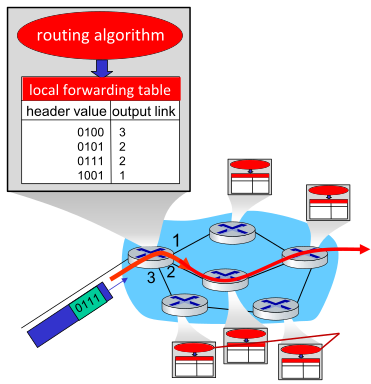
┌─────────────┬──────────────┐
│ Header Value│ Output Link  │
├─────────────┼──────────────┤
│    0100     │      3       │
│    0101     │      2       │
│    0111     │      2       │
│    1001     │      1       │
└─────────────┴──────────────┘
Process:
- Destination address in arriving packet's header
- Routing algorithm determines local forwarding table
- Router uses forwarding table to determine output link
Routing is like planning a road trip across the country (the big picture), while forwarding is like making individual turns at each intersection (local decisions).
Routing vs Forwarding Analogy
Routing
[Map showing route from San Jose to Northampton across United States]
- 45 h driving time
- 3,053 miles total distance
- Plans the overall path from source to destination
Forwarding
[Detailed highway interchange image]
- Makes local decisions at each router
- Determines which exit/road to take based on forwarding table
Routing determines "I need to go from California to Massachusetts" while forwarding decides "at this intersection, I turn right to stay on the correct route."
Public and Private Address Range
| Public IP | Private IP |
|---|---|
| Used over the public Network (Wan, Internet) | Used with in the private network (Lan) |
| Recognized over the internet | Not recognized over the internet |
| Public IP are unique over the Globe | Private IP are unique with in the network or Lan |
| Public IP are paid | Private IP are free of cost |
| Assigned By Internet Service Provider/ IANA (internet assigned numbers authority) under ICANN | Assigned by Network Administrator |
| Much bigger range of available IP | Limited IP range in each class |
Public Address Range
| Class | Start Address | Finish Address |
|---|---|---|
| A | 0.0.0.0 | 126.255.255.255 |
| B | 128.0.0.0 | 191.255.255.255 |
| C | 192.0.0.0 | 223.255.255.255 |
| D | 224.0.0.0 | 239.255.255.255 |
| E | 240.0.0.0 | 254.255.255.255 |
Private Address Range
พูดถึง NAT protocol, convert ip from private to public.
| Class | Start Address | Finish Address |
|---|---|---|
| A | 10.0.0.0 | 10.255.255.255 |
| B | 172.16.0.0 | 172.31.255.255 |
| C | 192.168.0.0 | 192.168.255.255 |
Think of public IPs as street addresses visible on Google Maps (everyone can find you), while private IPs are like apartment numbers within a building (only meaningful within that building's internal system).
The Internet: A "Services" View
Infrastructure that Provides Services to Applications
Applications:
- Web (HTTP protocol)
- Streaming video, multimedia teleconferencing
- Email (SMTP protocol)
- Games
- E-commerce
- Social media
- Inter-connected appliances, …
Provides Programming Interface to Distributed Applications
- Allowing sending/receiving data over network
Examples: HTTP, Skype, Streaming video
The Internet is like a vast postal service infrastructure - it doesn't create the letters (applications), but it provides the reliable delivery system for them to reach their destinations.
What's a Protocol?
Human Protocols
- "what's the time?"
- "I have a question"
- introductions
Network Protocols
- Computers (devices) rather than humans
- All communication activity in Internet governed by protocols
Protocols define the format, order of messages sent and received among network entities, and actions taken on message transmission, receipt
Rules for:
- … specific messages sent
- … specific actions taken when message received, or other events
What's a Protocol? - Examples
A Human Protocol and a Computer Network Protocol
Human Protocol:
Person 1: Hi
Person 2: Hi
Person 1: Got the time?
Person 2: 2:00
Computer Network Protocol:
Client: TCP connection request
Server: TCP connection response
Client: GET http://gaia.cs.umass.edu/kurose_ross
Server: <file>
Protocols are like the rules of conversation - just as humans follow social conventions when talking ("Hello" → "Hello" → conversation), computers follow strict rules for communication (request → acknowledgment → data transfer).
Protocol "Layers" and Reference Models
Networks are Complex, with Many "Pieces"
Components:
- hosts
- routers
- links of various media
- applications
- protocols
- hardware, software
Question: Is there any hope of organizing structure of network?
- and/or our discussion of networks?
Example: Organization of Air Travel
A Series of Steps, Involving Many Services
Departure (Left Side):
- ticket (purchase)
- baggage (check)
- gates (load)
- runway takeoff
- airplane routing
Arrival (Right Side):
- ticket (complain)
- baggage (claim)
- gates (unload)
- runway landing
- airplane routing
Throughout Journey:
- airplane routing
End-to-End Transfer of Person Plus Baggage
How would you define/discuss the system of airline travel?
- A series of steps, involving many services
Example: Organization of Air Travel - Layered Approach
Layers: Each Layer Implements a Service
Service Layers:
- Ticketing service
- Baggage service
- Gate service
- Runway service
- Routing service
Characteristics:
- Via its own internal-layer actions
- Relying on services provided by layer below
Each layer of air travel depends on the layer below it - you can't board the plane (gate service) until you've checked your bags (baggage service), which requires having a ticket (ticketing service).
Why Layering?
Approach to Designing/Discussing Complex Systems
Benefits:
-
Explicit structure allows identification, relationship of system's pieces
- Layered reference model for discussion
-
Modularization eases maintenance, updating of system
- Change in layer's service implementation: transparent to rest of system
- e.g., change in gate procedure doesn't affect rest of system
Layering is like building with LEGO blocks - you can change one layer without affecting others, making the system easier to understand, maintain, and upgrade.
OSI Model vs TCP/IP Model (Internet Protocol Stack)
Model Comparison
OSI Model (7 Layers):
- Application Layer
- Presentation Layer (compression, encryption)
- Session Layer (Manage session, Socket)
- Transport Layer
- Network Layer
- Data Link Layer
- Physical Layer
TCP/IP Model (4 Layers):
- Application Layer
- Transport Layer
- Internet Layer
- Network Access Layer
Updated TCP/IP Model (5 Layers):
- Application Layer
- Transport Layer
- Network Layer
- Data Link Layer
- Physical Layer
TCP/IP Protocol Suite
Application Layer Protocols:
- HTTP
- SMTP
- Telnet
- FTP
- DNS
- RIP
- SNMP
Transport Layer Protocols:
- TCP
- UDP
Network Layer Protocols:
- ARP
- IP
- IGMP
- ICMP
Data Link Layer Protocols:
- Ethernet
- Token Ring
- ATM
- Frame Relay
Physical Layer:
- Copper Cable, Coax, Fiber, Wireless, Radio
Layered Internet Protocol Stack
Five-Layer Model
┌────────────────┐
│  application   │
├────────────────┤
│   transport    │
├────────────────┤
│    network     │
├────────────────┤
│      link      │
├────────────────┤
│   physical     │
└────────────────┘
Layer Descriptions:
-
Application: Supporting network applications
- HTTP, IMAP, SMTP, DNS
-
Transport: Process-process data transfer
- TCP, UDP
-
Network: Routing of datagrams from source to destination
- IP, routing protocols
-
Link: Data transfer between neighboring network elements
- Ethernet, 802.11 (WiFi), PPP
-
Physical: Bits "on the wire"
Services, Layering and Encapsulation
Application Layer
Source → Destination
M (message)
Application exchanges messages to implement some application service using services of transport layer
Transport Layer
Ht | M (segment)
Transport-layer protocol transfers M (e.g., reliably) from one process to another, using services of network layer
Transport-layer protocol encapsulates application-layer message, M, with transport layer-layer header to create a transport-layer segment
- used by transport layer protocol to implement its service
Network Layer
Hn | Ht | M (datagram)
Network-layer protocol transfers transport-layer segment from one host to another, using link layer services
Network-layer protocol encapsulates transport-layer segment with network layer-layer header to create a network-layer datagram
- used by network layer protocol to implement its service
Link Layer
Hl | Hn | Ht | M (frame)
Link-layer protocol transfers datagram from host to neighboring host, using network-layer services
Link-layer protocol encapsulates network datagram , with link-layer header to create a link-layer frame
Services, Layering and Encapsulation - Complete View
Source to Destination Flow
Source:
┌────────────────┐
│  application   │ → M (message)
├────────────────┤
│   transport    │ → Ht | M (segment)
├────────────────┤
│    network     │ → Hn | Ht | M (datagram)
├────────────────┤
│      link      │ → Hl | Hn | Ht | M (frame)
├────────────────┤
│   physical     │
└────────────────┘
Destination:
┌────────────────┐
│  application   │ ← M
├────────────────┤
│   transport    │ ← Ht | M
├────────────────┤
│    network     │ ← Hn | Ht | M
├────────────────┤
│      link      │ ← Hl | Hn | Ht | M
├────────────────┤
│   physical     │
└────────────────┘
Encapsulation is like sending a letter: you write the message (application), put it in an envelope with recipient info (transport), the post office adds routing labels (network), and it's placed in a delivery truck (link/physical). Each layer adds its own wrapper with information needed for that layer's job.
Encapsulation: An End-End View
Complete Network Path
Source:
┌────────────────┐
│  application   │
├────────────────┤    message: M
│   transport    │    segment: Ht | M
├────────────────┤    datagram: Hn | Ht | M
│    network     │    frame: Hl | Hn | Ht | M
├────────────────┤
│      link      │
├────────────────┤
│   physical     │
└────────────────┘
Switch (Link/Physical only):
┌────────────────┐
│      link      │ → Hl | Hn | Ht | M
├────────────────┤
│   physical     │
└────────────────┘
Router (Network/Link/Physical):
┌────────────────┐
│    network     │ → Hn | Ht | M
├────────────────┤    Hl | Hn | Ht | M
│      link      │
├────────────────┤
│   physical     │
└────────────────┘
Destination:
┌────────────────┐
│  application   │ ← M
├────────────────┤    Ht | M
│   transport    │    Hn | Ht | M
├────────────────┤    Hl | Hn | Ht | M
│    network     │
├────────────────┤
│      link      │
├────────────────┤
│   physical     │
└────────────────┘
Key Points:
- Switches operate at Link/Physical layers
- Routers operate at Network/Link/Physical layers
- Only end systems use all 5 layers
NOTE
เริ่มคลาส Jan 15
Network Security
Original Design Limitations
- Internet not originally designed with (much) security in mind
- Original vision: "a group of mutually trusting users attached to a transparent network" ☺
- Internet protocol designers playing "catch-up"
- Security considerations in all layers!
ตอนเขาสร้าง Internet ก็ไม่ได้คิดหรอกว่าจะ Popular มาฮิตฮอดกันขนาดนี้อะ ตอนนั้นก็เลยไม่ได้คิดเรื่อง Security ขนาดนั้น
We Now Need to Think About
- How bad guys can attack computer networks
- How we can defend networks against attacks
- Multiple tools: firewall, IDS
- ไปหามาว่า IDS ทำงานยังไง?
- How to design architectures that are immune to attacks
- Load balance,
Confidentiality, Integrity, Availability
CIA Triad
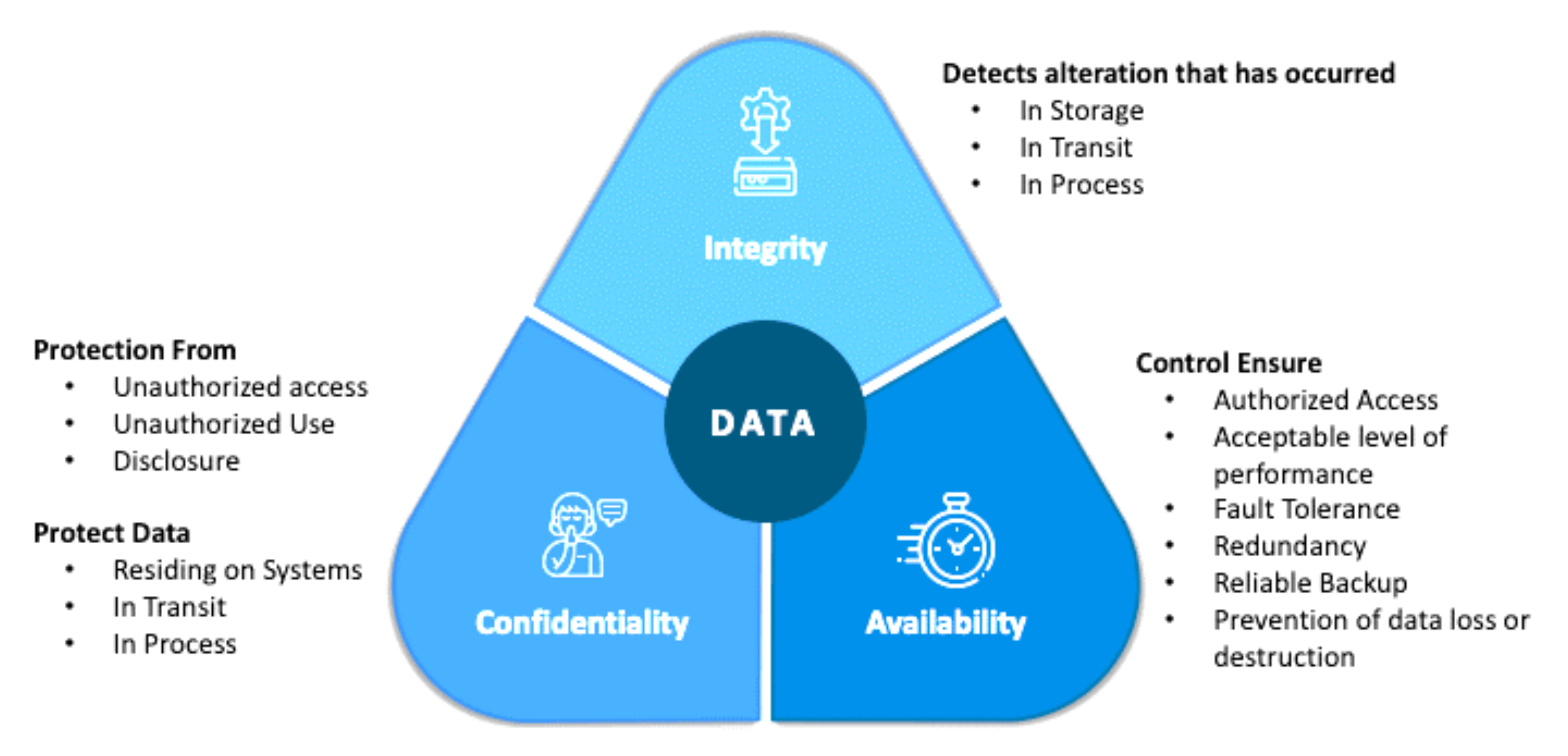
- (Redundancy) Uplink: คืออะไร
- Backup: เราก็สามารถใช้ NAS ได้ backup every day, week.
The CIA triad is like protecting a valuable painting: Confidentiality means only authorized people can see it, Integrity ensures it hasn't been altered or damaged, and Availability means it's accessible when the museum is open.
Bad Guys: Packet Interception
Packet "Sniffing"
Interception: Attack on Confidentiality
- Broadcast media (shared Ethernet, wireless)
- Promiscuous network interface reads/records all packets (e.g., including passwords!) passing by
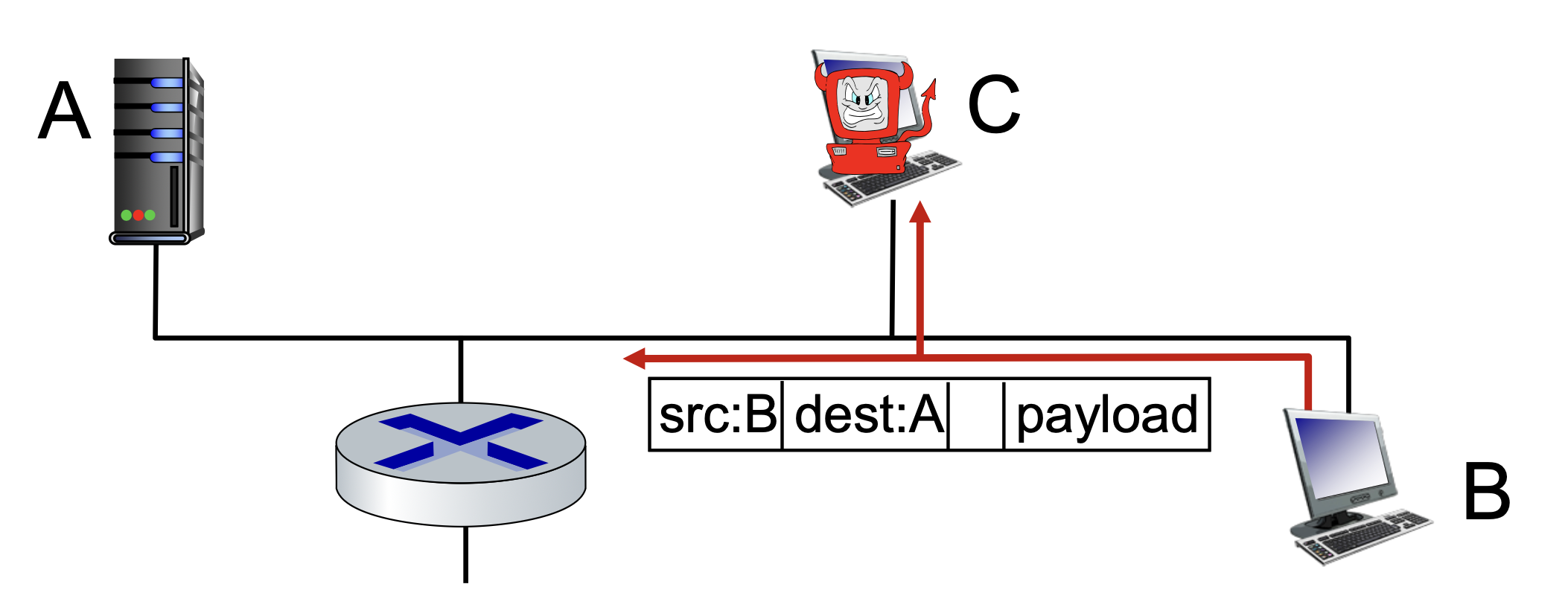
Wireshark, TCP dump software used for our end-of-chapter labs is a (free) packet-sniffer
- Wireshark uses the
libpcap(Packet Capture library) to capture live network data on most systems.
Packet sniffing is like eavesdropping on a party line telephone - if the network is shared (like WiFi), someone can listen in on all conversations unless they're encrypted.
Bad Guys: Fake Identity
IP Spoofing
Injection of packet with false source address
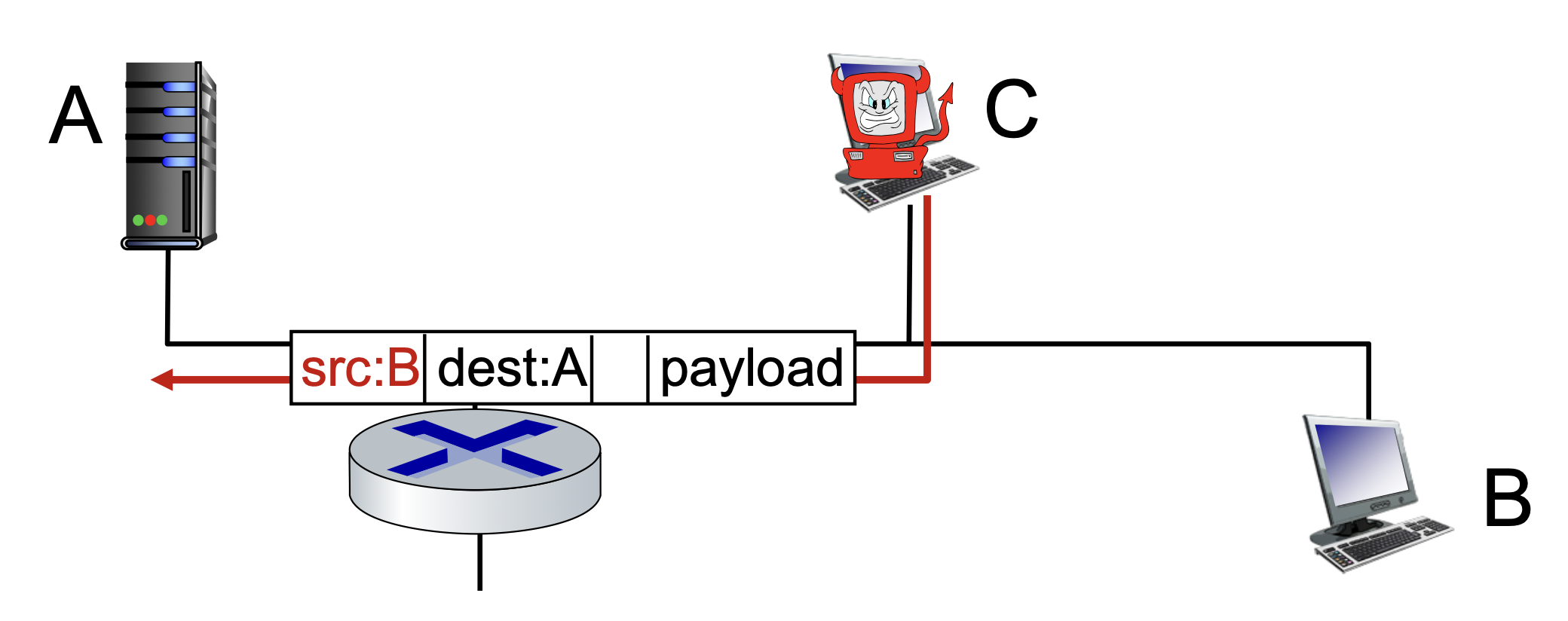
IP spoofing is like sending a letter with a fake return address - the recipient thinks it came from someone else. This can be used for malicious purposes or to hide the attacker's identity.
Bad Guys: Denial of Service
Denial of Service (DoS)
Attackers make resources (server, bandwidth) unavailable to legitimate traffic by overwhelming resource with bogus traffic
Attack Process:
- Select target
- Break into hosts around the network (see botnet)
- Send packets to target from compromised hosts
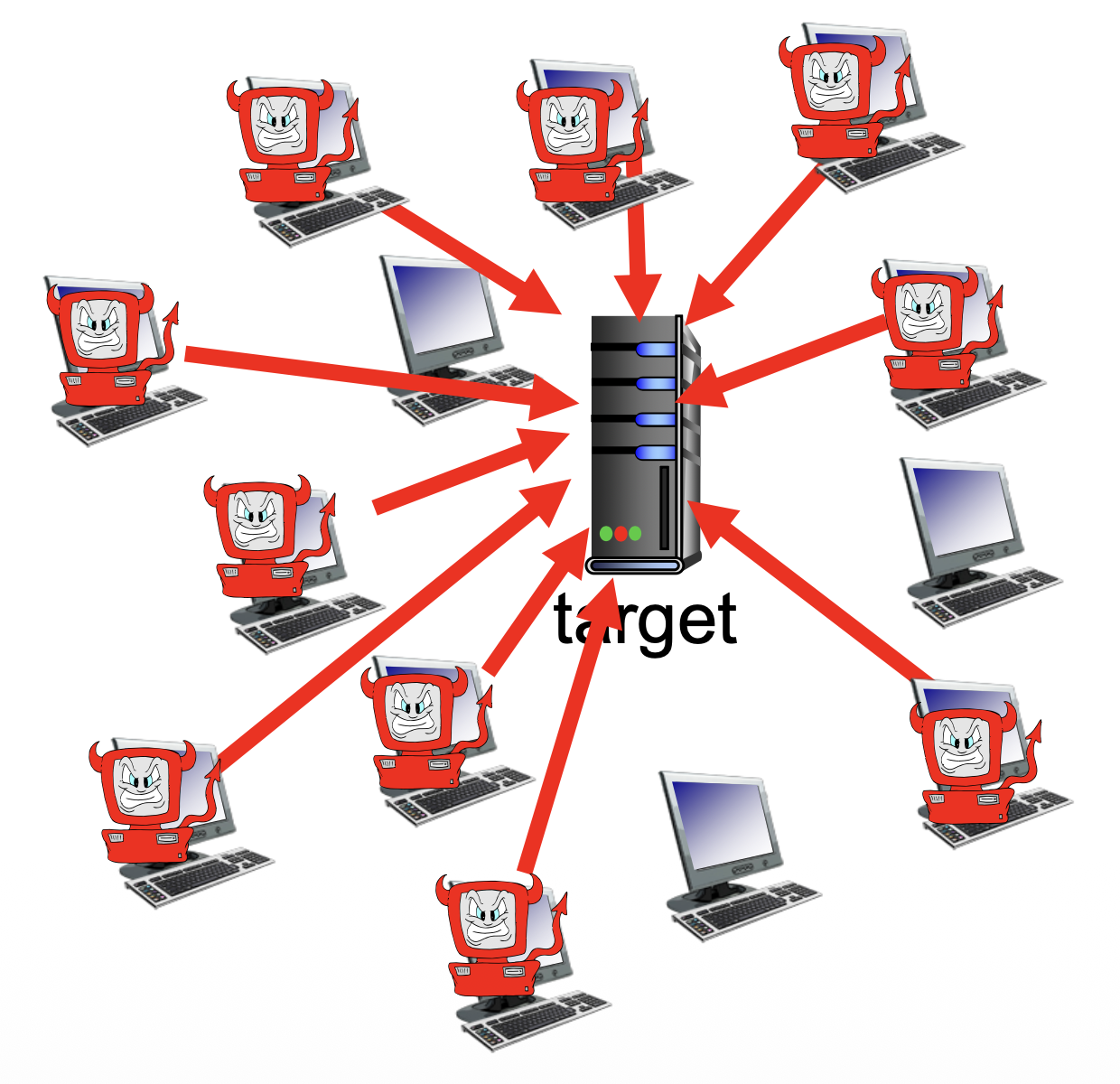
- ที่ต้องมีหลาย ๆ อันเพราะว่า Firewall / IDS จะตรวจจับได้ยากไง ถ้าเป็นแค่ DoS เครื่องเดียว มันก็ตรวจได้เลยสิ เออ!
- แต่ละเครื่องก็อาจจะเป็นของคนทั่วไปที่โดน Malware infected นี่แหละ
         ┌─── attacker ───┐
         │                │
    ┌────┴────┐      ┌────┴────┐
    │ zombie  │      │ zombie  │
    └────┬────┘      └────┬────┘
         │                │
         └────→ target ←──┘
                  ↑
         ┌────────┼────────┐
    ┌────┴────┐   │   ┌────┴────┐
    │ zombie  │───┘   │ zombie  │
    └─────────┘       └─────────┘

    Multiple compromised hosts
    (zombies/bots) all attack target
- Target (Connection → Port → 16 bits → 65k ports ถ้า botnet มาเชื่อมหมดแล้ว คนอื่นก็เข้ามาไม่ได้สิ) (CHECK?)
A DDoS attack is like a flash mob intentionally blocking a store's entrance - so many fake customers crowd the doorway that real customers can't get in to shop.
Lines of Defense
Security Measures
- Authentication: Proving you are who you say you are
- Cellular networks provides hardware identity via SIM card; no such hardware assist in traditional Internet
- Confidentiality: Via encryption
- Protocol like HTTP, FTP, Telnet, Plain SMTP should NOT be used! (Sent in plain text)
- HTTPS, SSH, TLS, SSL
- Integrity checks: Digital signatures prevent/detect tampering
- Access restrictions: Password-protected VPNs
- Firewalls: Specialized "middleboxes" in access and core networks:
- Off-by-default: filter incoming packets to restrict senders, receivers, applications
- Detecting/reacting to DOS attacks
Network security is like securing a building: authentication is checking ID at the door, encryption is speaking in code, integrity checks are tamper-evident seals, access restrictions are locked doors, and firewalls are security guards filtering who gets in.
Summary
Key Topics Covered
- Internet overview
- What's a protocol?
- Network edge, access network, core
- Layering, service models
- Security